
Real-time chat translation is the instant conversion of a chat message from one language to another, displayed to the recipient before they even notice a delay. This technology, formally called neural machine translation (NMT) or LLM-powered translation depending on the engine, now powers everything from customer support platforms to travel apps and remote team tools. Leading systems target latency under 200 milliseconds to keep conversations feeling natural. Tools like Oralingo, and engines like Google's Gemini, have pushed this technology far beyond simple word-for-word substitution into something that actually sounds human.
How does real-time chat translation work?
Real-time chat translation follows a precise sequence every time you send a message. Understanding that sequence helps you choose the right tool and set the right expectations.
The message flow from send to display
When you type and send a message, the system first detects the source language automatically. It then checks a translation cache for that exact phrase or a close match. If the phrase is found in the cache, the translated text appears in under 50 milliseconds. If not, the message moves to the translation engine, either an NMT model or a large language model (LLM), and the result is stored in the cache for next time.

Caching 70–80% of common phrases like "OK," "Thank you," or "I'll check on that" cuts compute costs dramatically and keeps response times fast. That cache hit rate is the difference between a chat that feels instant and one that feels sluggish.
NMT vs. LLM translation speed
The engine choice matters. NMT translation handles short text in 100–200ms, while LLM translation typically runs 300–800ms. NMT is faster but can miss nuance. LLMs like Google's Gemini are slower but preserve tone, cadence, and idiomatic expressions far more naturally. Most production systems blend both: NMT for speed on simple phrases, LLMs for complex or ambiguous messages.
Context windows and accuracy
Good translation systems do not translate each message in isolation. High-quality systems use a context window of the last 3–5 messages to resolve pronouns, idioms, and references correctly. Without that context, "Can you send it?" becomes ambiguous. With it, the system knows "it" refers to the document mentioned two messages ago.
Pro Tip: If you are building or evaluating a chat translation system, always test it with multi-turn conversations, not just single sentences. Single-sentence accuracy scores can be misleading.
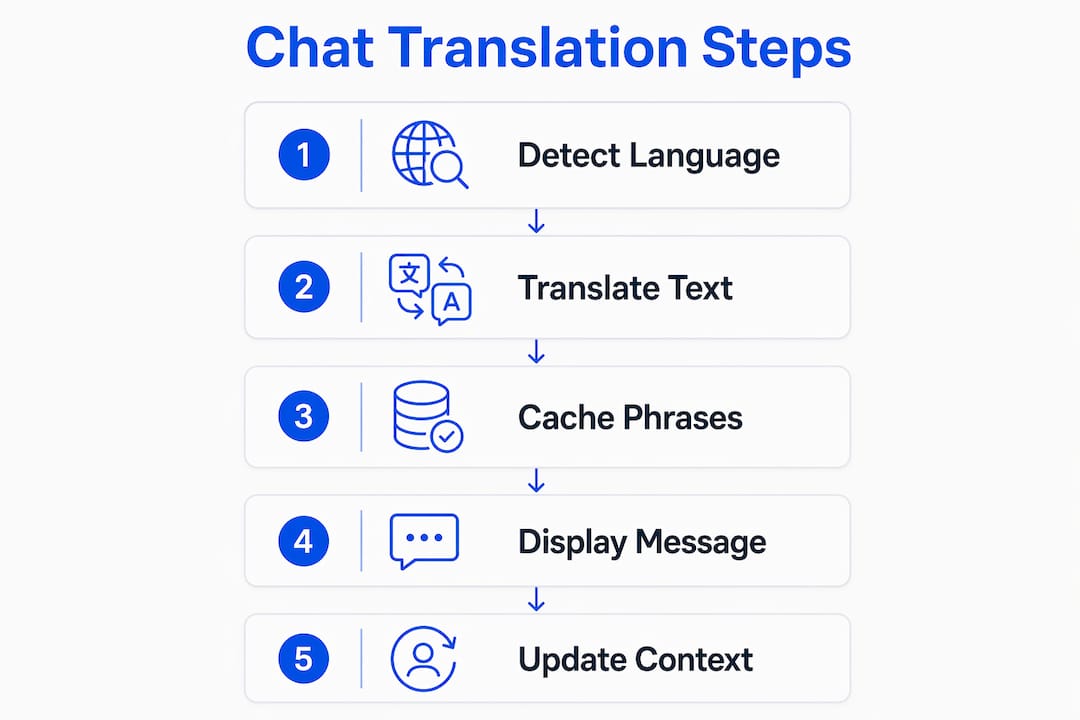
Optimistic UI patterns also play a role. The system shows the original message immediately, then replaces or appends the translated version a fraction of a second later. Users perceive the chat as instant even when the translation engine needs a moment.
What are the benefits and limitations of real-time chat translation?
Real-time chat translation solves a real problem, but it is not perfect. Knowing both sides helps you use it well.
Key benefits
- No language barriers in live conversation. You can chat with someone in Japanese, Spanish, or Arabic without either party switching languages or waiting for a human translator.
- Better customer service efficiency. Real-time translation eliminates language-specific queues, so any available agent can handle any customer regardless of language. First response times drop and team capacity rises without adding headcount.
- Remote team collaboration. Distributed teams across Europe, Asia, and the Americas can communicate in their native languages inside a single chat thread. This reduces miscommunication and speeds up decisions.
- Travel and personal use. For travelers, instant translation in messaging apps removes the friction of asking locals for directions or negotiating prices. Apps like Oralingo support over 100 languages, covering most travel destinations.
Real limitations you should know
Idioms and technical jargon still trip up even the best engines. A phrase like "we're swamped" may translate literally rather than idiomatically. Domain-specific glossaries, where you define key terms and their correct translations, fix most of these errors in professional settings.
Latency is the other constraint. Users notice delays above 200–500ms. If your internet connection is slow or the translation server is distant, the experience degrades noticeably. Choosing a tool with edge caching and regional servers reduces this risk.
Privacy and end-to-end encryption are non-negotiable for professional use. Messages passing through a translation engine are, by definition, processed by a third party. If that processing happens on unencrypted servers, your conversation is exposed. Always verify that your translation tool encrypts messages in transit and at rest.
Pro Tip: For business use, ask your translation provider whether messages are stored after translation. Many free tools retain message data for model training. Paid, privacy-first tools like Oralingo do not.
How does real-time translation compare with asynchronous and voice translation?
Not all translation methods work the same way. Choosing the right one depends on your context.
Asynchronous vs. real-time translation in chat
Asynchronous translation in chat means the message is translated after a delay, often minutes or hours. Email threads, support tickets, and document review workflows use this model. The trade-off is quality: asynchronous systems can use slower, more thorough translation pipelines and human review. Real-time translation sacrifices some of that depth for speed.
For live chat, customer support, and instant messaging, real-time is the only practical choice. For legal contracts, medical records, or formal correspondence, asynchronous translation with human review is safer.
| Method | Latency | Best use case | Accuracy |
|---|---|---|---|
| Real-time NMT | 100–200ms | Live chat, instant messaging | High for common language |
| Real-time LLM | 300–800ms | Complex or nuanced chat | Higher for idioms and tone |
| Asynchronous | Minutes to hours | Email, tickets, documents | Highest with human review |
| Voice translation (earbuds) | ~1 second | In-person conversation | Good in quiet environments |
Voice translation and how it fits
Voice translation devices have improved sharply. AI translation earbuds like the Timekettle W4 achieve speech-to-speech latency around one second using bone-conduction microphones and AI model switching. That one-second delay is acceptable for structured conversation but noticeable in fast back-and-forth exchanges.
Text chat translation is faster and more accurate for written communication. Voice translation is better for in-person situations where typing is impractical. Travelers especially benefit from combining both: earbuds for face-to-face conversations and a chat app for written exchanges with hotels, restaurants, or local contacts.
What are the best practices for using real-time chat translation?
Getting the most from real-time translation takes more than just turning it on. These practices make a real difference.
-
Turn on translation only when needed. Running translation on every message in a monolingual conversation wastes compute resources and adds unnecessary latency. Most tools let you set language preferences per contact or per channel.
-
Use glossaries and custom terminology. If your team uses specific product names, acronyms, or technical terms, add them to your translation tool's glossary. This prevents the engine from guessing and producing wrong translations for terms it has not seen before.
-
Set a context window. If your platform allows it, configure the system to pass the last 3–5 messages as context with each translation request. This single setting improves accuracy more than almost any other configuration change.
-
Choose a tool with regional servers. Latency is partly a function of physical distance between your device and the translation server. A tool with servers in North America, Europe, and Asia will perform consistently for distributed teams.
-
Verify encryption before sharing sensitive information. Check that your tool uses end-to-end encryption. For professional contexts, this is not optional.
Pro Tip: When using real-time translation for student communication abroad or in foreign classrooms, set the interface to show both the original and translated text. Students learn faster when they can see both versions side by side.
For customer service teams, a practical workflow looks like this: an agent receives a message in Portuguese, the system translates it to English instantly, the agent replies in English, and the customer receives the reply in Portuguese. No language-specific routing. No delays. The agent focuses on solving the problem, not on the language.
Key takeaways
Real-time chat translation works best when low latency, smart caching, and contextual awareness operate together in a single system.
| Point | Details |
|---|---|
| Latency is the core metric | NMT delivers 100–200ms; LLMs run 300–800ms; both are fast enough for live chat. |
| Caching drives speed and cost savings | Caching 70–80% of common phrases cuts compute costs and keeps responses under 50ms. |
| Context windows improve accuracy | Passing the last 3–5 messages to the engine reduces pronoun and idiom errors significantly. |
| Privacy must be verified | Always confirm end-to-end encryption before using any translation tool for professional conversations. |
| Match the method to the task | Use real-time translation for live chat, asynchronous for documents, and voice tools for in-person exchanges. |
Why latency and context matter more than language count
I have spent years watching teams pick translation tools based on the wrong criteria. The most common mistake is choosing a tool because it supports 150 languages. Language count is nearly irrelevant for most users. What actually determines whether a tool works in practice is latency and contextual accuracy.
A tool that translates into 150 languages but takes 900ms per message will frustrate users within minutes. A tool that supports 30 languages but responds in under 150ms with context-aware output will feel natural and get used consistently. The technology gap between those two scenarios is not about language coverage. It is about architecture: edge caching, context windows, and engine selection.
The privacy question is equally underestimated. Teams adopt translation tools quickly, often without checking whether messages are stored or used for model training. In a customer support context, that means sensitive customer data may be passing through a third-party server with no encryption guarantee. This is not a theoretical risk. It is a real compliance issue in regulated industries like healthcare and finance.
My honest advice: test any translation tool with a multi-turn conversation that includes an idiom, a pronoun reference, and a technical term. If all three translate correctly, the tool is worth using. If any one of them fails, look at the configuration options before switching tools entirely. A glossary and a context window setting fix most of these problems without requiring a platform change.
Talk to anyone with Oralingo
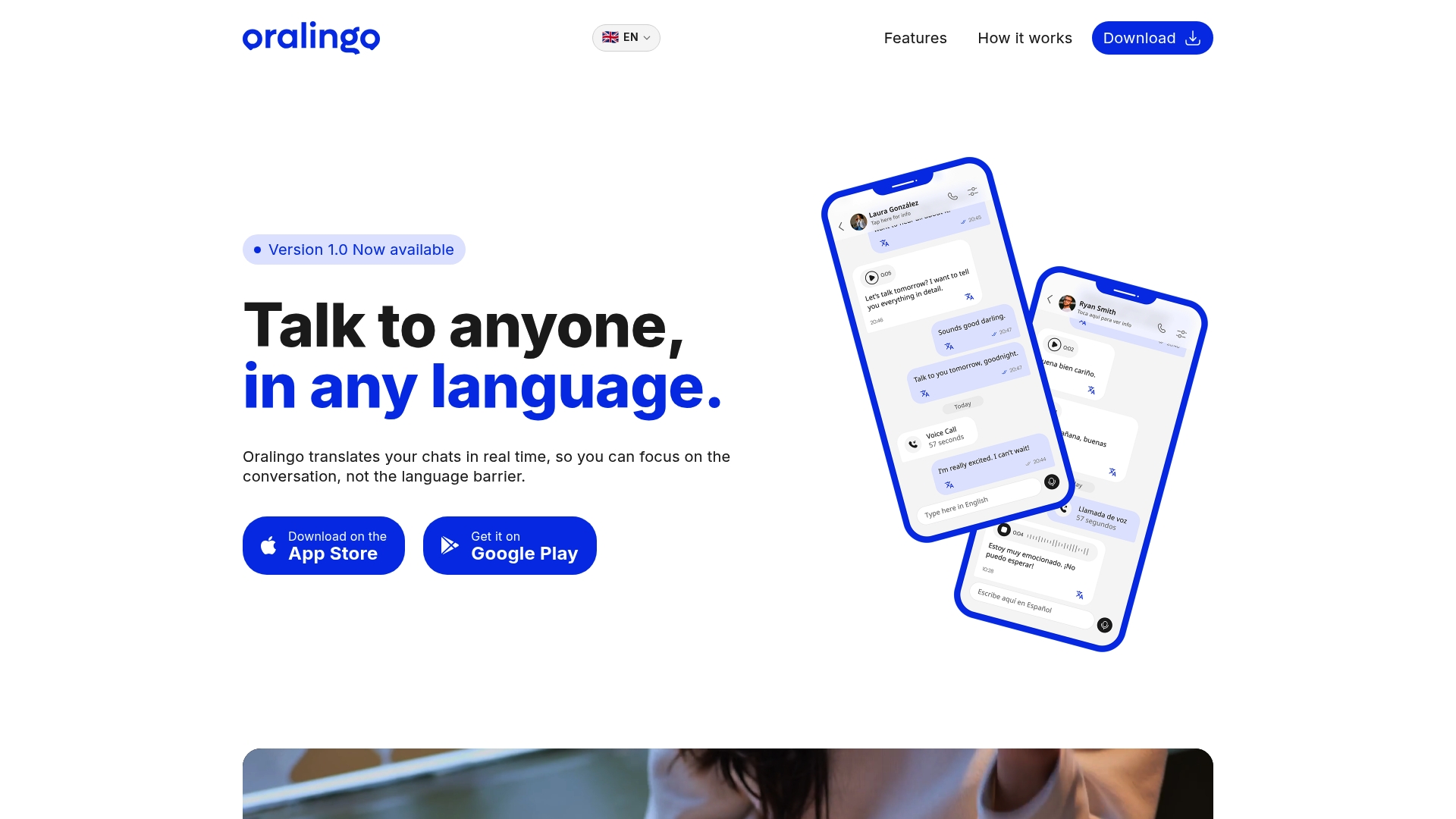
If you want real-time chat translation that just works, try Oralingo. Oralingo translates messages instantly before they appear on screen, so your conversations flow without interruption. It supports over 100 languages with a 99% accuracy rate, and every conversation is protected with end-to-end encryption. Whether you are connecting with international colleagues, chatting with friends abroad, or helping customers in their native language, Oralingo keeps the focus on the conversation. The hands-free voice mode means you do not even need to type. Download the app and start talking to anyone, in any language, today.
FAQ
What is real-time chat translation?
Real-time chat translation is the automatic, instant conversion of a chat message from one language to another, displayed to the recipient with minimal delay. Leading systems achieve this in under 200 milliseconds using neural machine translation or LLM-powered engines.
How is real-time translation different from asynchronous translation?
Real-time translation converts messages instantly during a live conversation, while asynchronous translation processes messages after a delay, often with human review. Real-time is best for live chat; asynchronous is better for formal documents and tickets.
What are the main benefits of real-time translation for remote teams?
Real-time translation lets distributed team members communicate in their native languages within a single chat thread, reducing miscommunication and removing the need for language-specific routing or manual translation.
Is real-time chat translation private and secure?
Security depends on the tool. Always verify that your translation platform uses end-to-end encryption, since messages processed by a translation engine pass through external servers. Oralingo uses end-to-end encryption on every conversation.
Can real-time translation handle technical or industry-specific language?
Standard engines can struggle with jargon and technical terms. Most professional-grade tools allow you to add a custom glossary that defines key terms and their correct translations, which resolves the majority of domain-specific accuracy issues.
— Poul