
Translating family group chat messages means converting incoming and outgoing text from one language to another inside your chat app, in real time, without switching tools or breaking the conversation. WhatsApp added on-device translation as of early 2026, keeping your messages end-to-end encrypted even during translation. That single update changed what's possible for multilingual families. Privacy and ease of use are no longer trade-offs. You can have both.
How to translate family group chat messages: tools you need
The right tool depends on where your family chats. Native app features, browser extensions, and dedicated translation apps each solve the problem differently.
Native app features are the easiest starting point. WhatsApp, for example, now handles translation directly on your device. No message content ever leaves your phone during the process. That matters when your group chat includes personal health updates, financial news, or anything you'd rather keep private.

Browser extensions work best when you chat on a desktop. Tools like Transify deliver real-time inline translation across WhatsApp Web, Discord, and Telegram, with latency often under 200ms. That speed means translated text appears before you've finished reading the original.
Dedicated translation apps cover multi-platform needs. Tools in this category, such as TranEasy, support over 200 languages and connect several chat apps into one unified translation experience. They remove the need to copy and paste text manually.
| Tool category | Best for | Key feature |
|---|---|---|
| Native app feature | Single-platform families | On-device processing, no data sent externally |
| Browser extension | Desktop chat users | Inline overlay, tone profiles, caching |
| Dedicated translation app | Multi-app households | Cross-platform, 200+ languages |
- Check whether your app already has a built-in translation option before installing anything new.
- Download language packs locally when available. They work offline and keep data on your device.
- Avoid tools that require you to paste text into a separate window. That friction kills the conversation flow.
Pro Tip: Before your next family call, set your preferred language in WhatsApp's settings. The app will remember it for every future chat in that thread.
How do you translate messages in WhatsApp and iPhone chats?
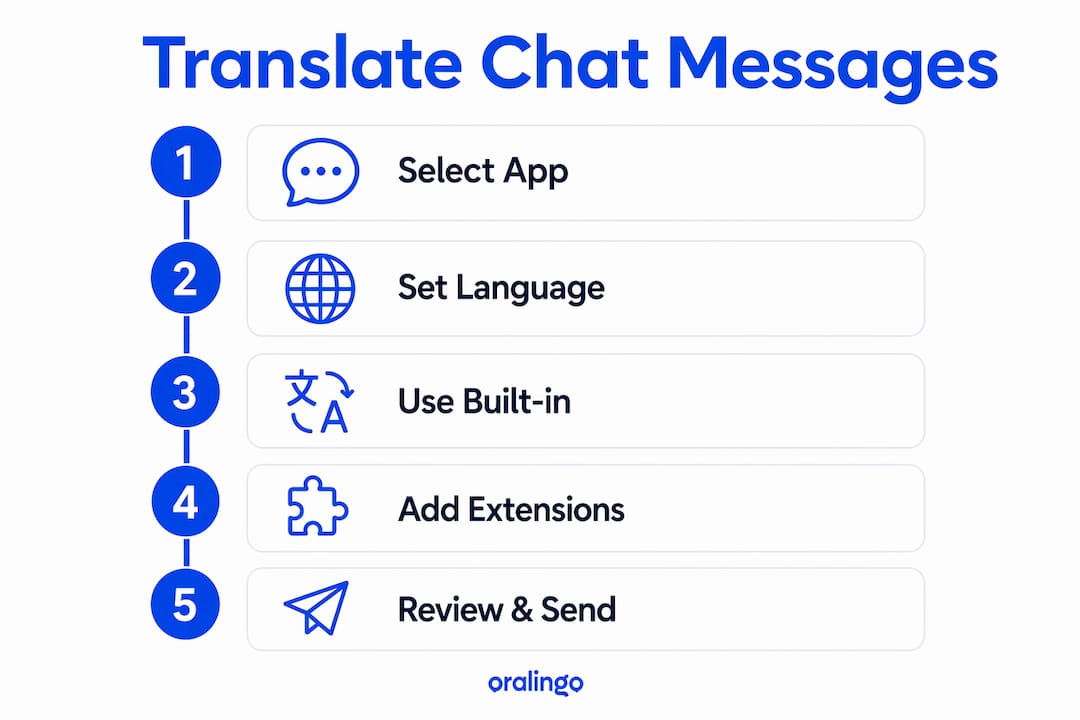
Built-in translation is now the fastest path for most families. Here is how to use it on the two most common platforms.
Translating messages in WhatsApp
- Open the chat where you want to translate a message.
- Tap and hold the message bubble until the context menu appears.
- Select "Translate" from the options.
- The translated text appears directly below the original message.
- To enable automatic translation for the whole thread, go to Settings > Chats > Translation and toggle on the language you want.
Automatic translation mode on Android translates every incoming message in a conversation without any manual tapping. Once you turn it on, the chat just works in your language. This is the closest thing to a set-it-and-forget-it solution currently available.
Translating messages on iPhone
- Open the Messages app and find the conversation.
- Tap and hold the message you want to translate.
- Select "Translate" from the pop-up menu.
- A translation overlay appears. Tap "Show Original" to toggle back.
- For ongoing chats, go to Settings > General > Language & Region and confirm your preferred language is set correctly.
The iPhone's built-in translation uses Apple's on-device language models. Like WhatsApp's approach, it processes text locally. Your family's messages stay on your phone.
Pro Tip: If the "Translate" option doesn't appear in WhatsApp, update the app. The feature rolled out in early 2026 and requires the latest version.
One thing to watch: the interface looks slightly different on iOS versus Android. On Android, the translate option sits in the message action bar. On iOS, it appears in the tap-and-hold pop-up. Both get you to the same result.
How do browser extensions improve group chat translation on desktop?
Desktop users have a different problem. Most chat apps on a computer don't offer built-in translation. Browser extensions fill that gap well.
Transify is a strong example. It places translated text directly inside chat bubbles as an inline overlay, so you never leave the conversation to read a translation. The original message stays visible, and the translation appears just below it. That layout keeps the conversation readable for everyone in the group, regardless of their language.
Tone profiles are a feature worth paying attention to. Some extensions let you choose between casual, professional, empathetic, and playful tones. For a family group chat, the casual or playful setting produces translations that sound more natural and preserve the emotional warmth of the original message. A stiff, formal translation of "Happy birthday, grandma!" misses the point entirely.
Caching is another practical benefit. When a family member sends the same phrase repeatedly, the extension retrieves the cached translation instantly instead of processing it again. That keeps the chat moving without any visible delay.
Privacy works differently with browser extensions compared to native app features. Extensions typically send text to a cloud API for processing. That means your messages leave your device, at least briefly. Check the extension's privacy policy before you install it, especially for a family chat that includes sensitive topics.
- Transify supports WhatsApp Web, Discord, and Telegram on desktop.
- Tone settings let you match the translation style to your family's communication habits.
- Caching speeds up repeated phrases and reduces API calls.
- Cloud-based processing is faster for complex sentences but carries a small privacy trade-off.
What are the common problems with multilingual family chat translation?
Even the best tools hit limits. Knowing where they fall short saves you frustration.
Multimedia content does not translate. Stickers, GIFs, documents, and location pins are outside the reach of current in-chat translators. Most tools focus on text only. If your family shares a lot of voice notes or image-based memes, translation tools won't help with those. You'll need to describe the content in text if it's important.
Device compatibility creates gaps. If half your family uses Android and the other half uses iPhone, automatic translation settings won't sync across devices. Each person needs to configure their own settings. Walk older family members through the setup on a video call. It takes five minutes and saves weeks of confusion.
Cloud tools carry privacy risks. On-device translation keeps your data local. Cloud-based tools send text to external servers. For a family chat that includes medical updates or financial discussions, on-device processing is the safer choice. It's not just about trust. It's about keeping intimate conversations private by design.
"The biggest gap in family chat translation isn't the technology. It's the setup. Most families never configure translation at all, so one person ends up copying messages into a separate app and pasting back a translation. That extra step breaks the conversation every time."
Pro Tip: Create a short voice note or text message explaining how to turn on translation and send it to your family group. A one-time setup message prevents ongoing confusion.
Key Takeaways
The most effective way to translate family group chat messages combines on-device native features for privacy with browser extensions for desktop flexibility, configured once per device by each family member.
| Point | Details |
|---|---|
| Use native app features first | WhatsApp's on-device translation keeps messages private and requires no extra tools. |
| Enable automatic mode on Android | Android WhatsApp translates every incoming message automatically once you turn it on. |
| Add a browser extension for desktop | Tools like Transify provide inline translation on WhatsApp Web, Discord, and Telegram. |
| Set tone profiles for family chats | Casual or playful tone settings produce warmer, more natural translations. |
| Know what tools can't translate | Stickers, GIFs, and voice notes fall outside current text translation capabilities. |
What I've learned from watching families struggle with language barriers in chat
The technology has genuinely caught up with the problem. What hasn't caught up is awareness. I've watched families spend years copying messages into a browser tab, translating them, and pasting the result back. That workaround works, but it creates a two-second delay that makes every conversation feel like a formal exchange instead of a real chat.
The shift to real-time chat translation changes that dynamic completely. When translation happens inside the chat bubble, the conversation feels normal. Grandparents in one country and grandchildren in another can joke, tease, and share news without anyone noticing the language difference.
Privacy is the piece most articles skip over. Families share things in group chats that they would never post publicly. A cloud-based translation tool that processes those messages on an external server is a real risk, not a theoretical one. On-device translation removes that risk entirely. The fact that WhatsApp now handles this locally is a bigger deal than most people realize.
My honest prediction: within two years, every major messaging platform will offer automatic, on-device translation as a default feature. The families who set it up now will have a head start on something that will eventually feel as normal as autocorrect.
— Poul
Oralingo makes multilingual family chats easy
Multilingual families need a tool that works without setup friction, handles over 100 languages, and keeps conversations private. Oralingo does all three.

Oralingo translates messages before they appear on screen, so the conversation flows without interruption. Its real-time translation works across languages with a 99% accuracy rate, and every chat is end-to-end encrypted. You can also use hands-free voice mode when typing feels like too much work. Whether your family spans three countries or two, Oralingo keeps everyone in the same conversation. Visit Oralingo to get started.
FAQ
How do I translate messages in a WhatsApp group chat?
Tap and hold any message, then select "Translate" from the menu. On Android, you can also enable automatic translation for the entire thread in Settings > Chats > Translation.
Does translating WhatsApp messages affect privacy?
WhatsApp's on-device translation processes text locally, so your messages are never sent to external servers during translation. End-to-end encryption stays intact.
Can I translate messages on desktop chat apps?
Yes. Browser extensions like Transify add inline translation to WhatsApp Web, Discord, and Telegram, with translations appearing directly inside chat bubbles.
What types of content can't be translated in group chats?
Current translation tools handle text only. Stickers, GIFs, documents, and location pins cannot be translated by in-chat translators on any major platform.
What is the best app for multilingual family group chats?
Oralingo supports over 100 languages with a 99% accuracy rate and translates messages before they display, making it a strong choice for families who chat across multiple languages daily.