
The deciding factor is simple: pick the app built for your primary scenario, whether that's live conversation, document work, or offline travel. Before you download anything, check three things: conversation or voice mode, accuracy for your specific language pair, and privacy or offline options. Then run the 25-minute test below on your own phrases.
TL;DR:
- Choose an app with dedicated conversation or voice mode if real-time interaction is a priority, rather than relying on text-only features.
- Verify the specific language pair you need is supported and has positive reviews, especially for less common combinations.
- Ensure offline packs include both text and voice translation if traveling or in areas with unreliable internet.
- Test app speed, accuracy with idioms, and offline functionality through a quick 25-minute routine before committing.
- Prioritize apps with clear privacy policies that specify on-device processing and minimal data retention, especially for sensitive conversations.
Table of Contents
- How to Choose a Translation App: The Feature Checklist That Actually Matters
- Which Translation App Fits Your Situation: Travel, Business, or Family Chat?
- Where Machine Translation Still Gets It Wrong
- A 25-Minute Test You Can Run Before You Commit
- What to Check in a Translation App's Privacy Settings
- Practitioner Evidence: How Oralingo Maps to This Checklist
- What I Test First, and the Red Flags I Won't Ignore
- Try Oralingo as Your Conversation-First Translation App
- Sources
How to Choose a Translation App: The Feature Checklist That Actually Matters
Most people download a translation app, poke at it for two minutes, and give up because they feel clumsy. That's usually not a translation problem. It's a features-mismatch problem. Before you compare accuracy or price, screen apps against a short checklist that tells you whether they were even built for your situation.
Here's why each category matters and what to actually look for.
Modes: text, voice, camera, document. Some apps only handle typed text well. Others are built for spoken conversation, with a microphone that stays open and translates in near real time. If you're planning to talk to someone face to face, a text-only app will slow you down badly. Check the app's settings or store listing for "conversation mode" or "voice mode," not just "voice input." Those are different features.
Language coverage for your specific pair. An app supporting 100+ languages sounds impressive, but quality varies wildly between pairs. Spanish to English is usually strong across the board. A less common pair, say Vietnamese to Portuguese, might route through English as an intermediate step and lose nuance. Search the app's language list for your exact pair and, if possible, read pair-specific reviews.
Offline packs. Reviewers consistently flag offline language packs as essential for travel, since hotel Wi-Fi and foreign data plans are unreliable at best. Check whether offline mode covers voice translation too, or just text. Many apps only let you download offline text dictionaries, not full conversational translation.
Speed and latency. In a live conversation, a two-second lag feels fine. An eight-second lag kills the flow and makes both people repeat themselves. There's no universal spec sheet for this, so you'll need to test it yourself, which the routine in this article covers.
Integration with messaging. If you're translating chats rather than face-to-face talk, check whether the app works inside your existing messaging habits or forces you to copy and paste between apps. Pre-delivery translation, where a message is translated before it even appears on screen, avoids the copy-paste shuffle entirely.
Privacy settings. Look for on-device processing options and clear language about data retention. More on this later, but flag it now as a screening criterion, not an afterthought.
Quick screening checklist:
- Does it have a dedicated conversation or voice mode, not just voice-to-text?
- Is your specific language pair listed, and does it have decent review coverage?
- Can it translate offline, including voice, not just stored phrases?
- Does it integrate with your messaging app or require manual copying?
- Does the privacy policy mention on-device processing or encryption?
Pro Tip: Open the app's language settings before you download anything else. If your specific pair isn't listed by name, or if it only appears in a "beta" or "experimental" section, move on. That's a strong signal the translation quality for your pair hasn't been prioritized.
Pro Tip: Search the app's privacy policy for the phrase "used to improve our services." That phrase usually means your conversations feed model training unless you find and disable an opt-out.
Which Translation App Fits Your Situation: Travel, Business, or Family Chat?
Features only matter in context. A camera translation feature that's mediocre for reading menus might be exactly what a traveler needs, while a business professional negotiating a contract needs something else entirely. Match the app to the job, not the spec sheet.
- Travel. You need fast camera translation for signs and menus, solid offline packs, and basic conversation mode for asking directions. Document quality barely matters here. Camera OCR paired with offline packs matters more for travelers than polished document translation, since you're reading a sign, not drafting a contract.
- Messaging with family or a partner abroad. Prioritize pre-delivery translation so messages read naturally the moment they arrive, tone preservation so a joke doesn't land as an insult, and reliable performance on informal, slang-heavy text. Formal document features are irrelevant here.
- Business communication. Accuracy on specialized terminology and a professional tone matter more than speed. For contracts, proposals, or anything that will be read by a lawyer or client, a managed translation workflow with glossaries and human review is the safer choice, not a consumer app alone.
- Language learning. You want an app that shows you both the translation and some grammatical structure, not just a black-box output. Speed matters less than transparency.
A sensible default: pick one primary app that matches your most frequent scenario, and keep a second app installed as backup for edge cases. If you mostly text a partner across languages but occasionally travel, your primary should be a chat-first app with strong pre-delivery translation, and your backup should be something with solid offline camera support.
Where Machine Translation Still Gets It Wrong
Fluent-sounding output and accurate output are not the same thing. An app can produce a grammatically smooth sentence that says something subtly, or completely, wrong. That gap is where most user frustration comes from, and it's worth understanding before you trust any app with something important.
Typical failure points:
- Idioms. "Break a leg" translated literally into most languages sounds like a threat, not encouragement.
- Humor and sarcasm. Tone often gets flattened into a literal, humorless statement.
- Domain-specific terms. Legal, medical, and technical vocabulary frequently gets translated using the common meaning of a word instead of its specialized one.
- Regional variation. The Spanish spoken in Mexico and the Spanish spoken in Spain diverge enough that a translation calibrated for one can sound stiff or odd in the other.
Professional translators who've tested consumer apps directly note these limits clearly and caution against relying on them for anything that will be published or read formally.
Run three quick tests before you trust an app with anything that matters:
- Glossary test. Translate a term specific to your field or hobby and see if it comes back sensible.
- Idiom round-trip. Translate a common idiom into your target language, then translate it back. If it doesn't return close to the original meaning, the app struggled with figurative language.
- Context sentence test. Feed it a sentence where a word has multiple meanings depending on context ("I left my charger at the bank" versus "I sat by the river bank") and see if it picks the right one.
These three tests take about five minutes combined and reveal more about real-world reliability than any star rating.
A 25-Minute Test You Can Run Before You Commit
Reviews tell you what someone else experienced. A quick hands-on test tells you what will happen with your actual words, your actual accent, and your actual conversations. Setting your priorities first, then running a short structured test, beats scrolling through star ratings for an hour.
Here's the routine:
- Prepare your material (5 minutes). Write down three phrases you'd realistically use: one casual greeting, one sentence with an idiom or slang, and one sentence specific to your field (work jargon, a family nickname, a hobby term). If you're evaluating document translation, grab a short paragraph instead.
- Run the conversation test (10 minutes). Speak or type your three phrases into the app's conversation mode. Note whether it captures your meaning, not just your words, and time the lag between speaking and seeing the translation appear.
- Run camera and offline checks (10 minutes). Point the camera at a menu, sign, or product label if you have one handy. Then switch to airplane mode and repeat a basic phrase to see what still works offline.
Score each app on a simple four-point rubric, one to five per category:
| Category | What to check |
|---|---|
| Speed | Time from input to translated output |
| Contextual accuracy | Did it catch the idiom or jargon correctly? |
| Ease of use | Could you do this without hunting through menus? |
| Privacy controls | Did you find on-device options or clear retention language? |
Add up the scores. Anything scoring under 12 out of 20 probably isn't worth a subscription.
If 25 minutes feels like too much, run the 10-minute version: skip the camera and offline checks, and just run your three phrases through conversation mode while timing the lag and checking accuracy. It won't catch everything, but it'll immediately eliminate the worst fits.
What to Check in a Translation App's Privacy Settings
Translation apps see some of the most personal text you type, medical questions, financial details, family arguments, business terms you haven't announced publicly yet. Treating privacy as a footnote is a mistake most people only realize after the fact.
On-device processing versus cloud processing. On-device means the translation happens locally on your phone without sending your words to a remote server. It matters most when you're translating anything sensitive: medical symptoms, financial figures, legal terms. Consumer guides consistently flag on-device processing as the safer default for exactly this reason. Cloud processing usually enables more language pairs and faster updates, so there's a real trade-off, not a clear winner.
Data retention language. Open the privacy policy and search for "retain," "store," or "training." If an app says it may use your conversations "to improve our services," that almost always means your text feeds a model somewhere, unless there's a separate opt-out toggle.
Encryption in transit and at rest. End-to-end encryption means only you and the other person in a conversation can read the message, not even the app's own servers. It's a stronger guarantee than plain "encrypted," which can just mean encrypted in transit and readable on the server.
Practical moves to make right now:
- Turn off any "help improve translations" or "share usage data" toggle in settings.
- Check for a "delete conversation history" option and use it after sensitive exchanges.
- For a one-off sensitive translation, use a text-only, no-account tool instead of a full conversational app that logs history by default.
Pro Tip: If you're translating something you'd never want saved anywhere, like a legal dispute or a medical question, look for an app that explicitly states messages aren't stored after delivery. That single line in a privacy policy tells you more than any marketing claim.
Practitioner Evidence: How Oralingo Maps to This Checklist
Poul has spent years writing about real-time translation behavior, testing how apps handle everything from slang to mixed-language family group chats, and covering the practical side of cross-language communication in posts like how translation apps work in real conversations.
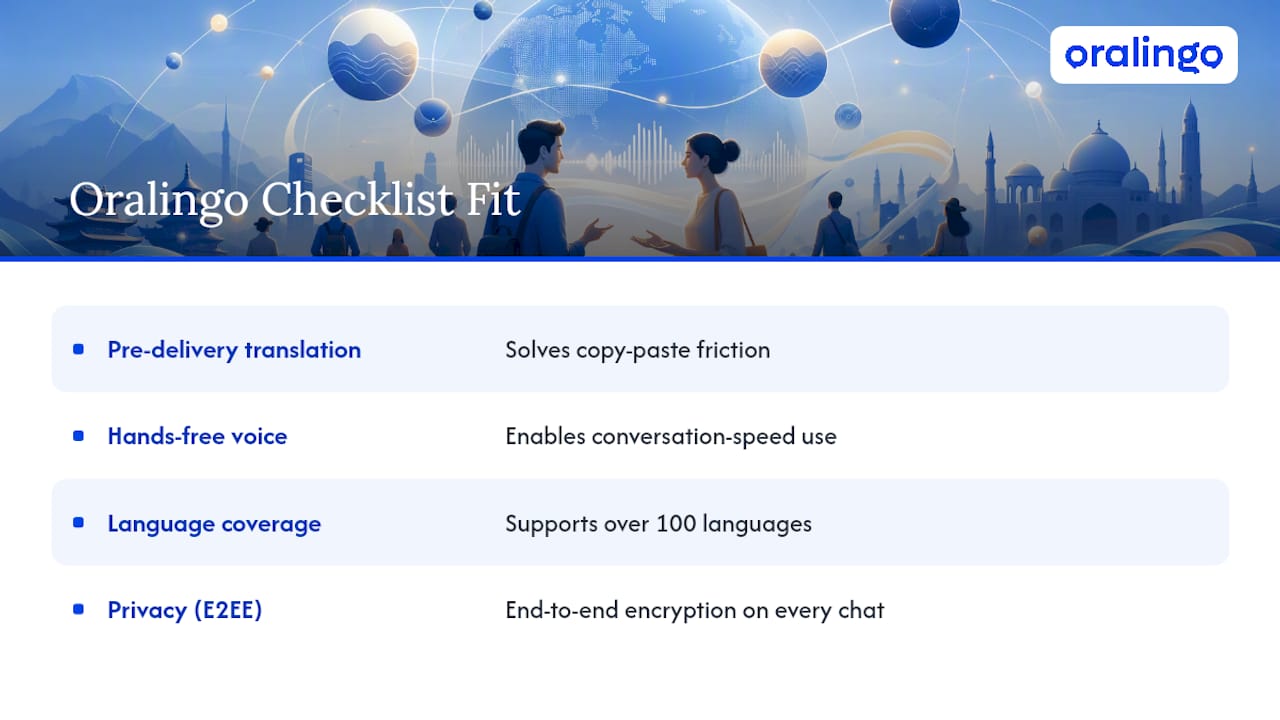
Running Oralingo against the checklist above shows a clear pattern of fit for chat-first, conversation-first use. Messages are translated before they're displayed, which solves the copy-paste friction problem flagged earlier. Hands-free voice mode addresses the conversation-speed priority travelers and business users both care about. Oralingo supports over 100 languages with end-to-end encryption on every conversation, which checks both the language-coverage box and the privacy box in one move.
A multilingual family texting across three time zones doesn't want to manage a separate translation step for every message. A business call between two people who each speak a different first language doesn't have room for an eight-second lag. Those are the two scenarios where pre-delivery translation and hands-free voice mode stop being nice extras and start being the entire point.
For anyone weighing mixed-language conversations specifically, the practical guide on switching languages mid-conversation walks through a scenario most apps handle poorly: a group chat where people are switching between two or three languages in the same thread.
What I Test First, and the Red Flags I Won't Ignore
I test conversation mode before anything else, since that's where most apps quietly fail with a lag that kills the flow. Second, I check for menu depth. If basic language switching takes more than two taps, that's friction you'll feel daily. Third, I only recommend paying once free tier limits actually interrupt real use, not before.
Red flags: vague privacy language, no offline option at all, and a conversation mode that requires opening a separate screen for each speaker.
— Poul
Try Oralingo as Your Conversation-First Translation App
If your priority list from this article leans toward conversation, chat, and speed over document polish, Oralingo was built for exactly that scenario. It translates messages before they're displayed, so conversations read naturally instead of arriving as a raw block of machine text you have to interpret. Hands-free voice mode covers the moments when typing just isn't practical.

Every conversation runs on end-to-end encryption, so the privacy checklist from earlier isn't an afterthought here, it's built into the product. With support for over 100 languages, Oralingo covers most of the pairs readers are likely to need, whether that's family texts across time zones or a client call in a language you're still learning. There's a free tier to start with, so you can add Oralingo to your own 25-minute test alongside whatever else made your shortlist. Download it, run your three prepared phrases through conversation mode, and see how the lag and accuracy compare to what else you tested.
Sources
This article draws on translator-reviewed app comparisons from the American Translators Association, feature roundups from PCMag, practical testing frameworks from TransGull, and workflow guidance from AsiaLocalize. Further reading on accuracy specifically lives in Oralingo's research post on chat translation accuracy.
- The best translator apps for 2026 | PCMag
- Machine Translation Tools: 7 Proven Ways to Choose the Right Software
- Best Translation Apps: A Translator Puts Four to the Test