
Real-time translation apps are defined as software tools that use AI speech recognition and machine translation to convert spoken or written language into another language instantly. Understanding how translation apps work in real conversations matters whether you're closing a deal in Tokyo, visiting family in Mexico City, or helping a neighbor who speaks no English. The technology has advanced fast. Oralingo, for example, supports over 100 languages with a 99% accuracy rate, translating messages before they appear on screen so the conversation never stops.
How do real-time translation apps process spoken language?
Real-time translation apps convert spoken or written language instantly using AI technologies. The process runs through three stages in rapid sequence, and each stage directly affects how natural the conversation feels.
- Speech-to-text (STT). Your phone's microphone captures audio and sends it to a speech recognition engine. The engine breaks the audio into phonemes, matches them against a language model, and outputs a text string. This happens in fractions of a second on modern hardware.
- Machine translation. The text string passes through a large language model trained on billions of sentence pairs. The model does not translate word by word. It reads the full phrase, predicts the most likely meaning in context, and outputs a translated string. Context is everything here. "Bank" near "river" translates differently than "bank" near "money."
- Text-to-speech (TTS) synthesis. The translated text converts back into audio using a synthetic voice. High-quality TTS engines now produce natural intonation, not the robotic monotone of older systems.
The biggest technical challenge is latency. Latency over 0.5 seconds breaks conversation timing and creates what researchers call "translation exhaustion," where listeners mentally piece together fragmented responses. The fix is continuous stream translation. Google's Gemini 3.5 Live Translate starts translating before you finish your sentence, mimicking the way a human interpreter works. That approach keeps pace with natural speech and removes the dead air that kills conversation momentum.
Pro Tip: Speak in short, complete sentences when using any translation app. Shorter inputs reduce processing time and give the machine translation model a cleaner context window, which improves accuracy.

What are the main limitations of translation apps in live dialogue?
Translation apps face real obstacles in everyday use. Knowing what they are helps you work around them.
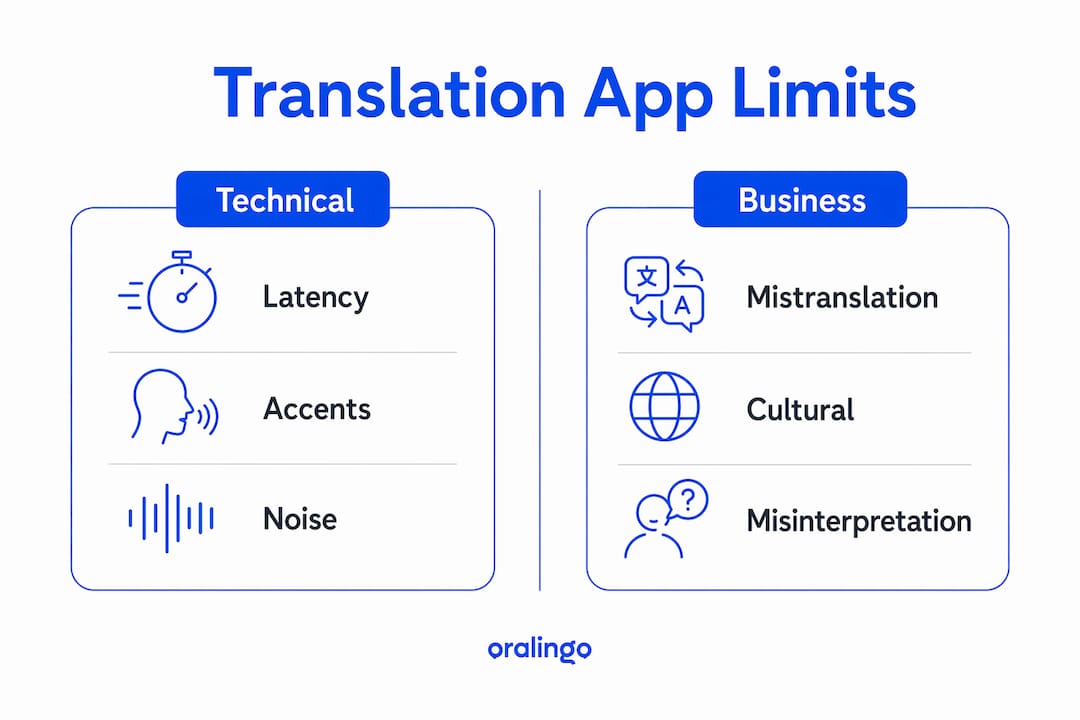
- Latency and dead air. Standard apps impose a rigid turn-taking structure. You speak, you wait, the translation plays, the other person responds. That rigid structure kills conversation flow and prevents genuine connection. It turns a chat into a slow relay race.
- Accents and background noise. Voice recognition breaks down in noisy environments and with regional accents. A crowded market in Bangkok or a loud restaurant in Naples creates audio conditions that confuse speech recognition engines. The result is mistranslations that can embarrass or mislead.
- Cultural and contextual gaps. AI translates words, not culture. Non-verbal cues, local idioms, and gestures frequently get misread. A thumbs-up means approval in the United States but carries a rude meaning in parts of the Middle East. No translation app flags that difference automatically.
- Connectivity dependence. Cloud-based features like live voice translation require a strong internet connection. Spotty hotel Wi-Fi or a rural area with no data signal shuts those features down entirely.
"Learning three basic phrases in the local language builds trust more effectively than relying solely on translation tech." This insight from travel researchers points to a real gap. Technology handles words. Humans handle relationships.
The business context adds another layer. A mistranslation during a negotiation can signal disrespect or confusion even when the intent was clear. Using translation apps effectively in business means slowing your speech, avoiding idioms, and confirming key points in writing after the conversation.
How do translation apps work without typing?
Hands-free translation is the feature that changes how conversations actually feel. Instead of typing a phrase and waiting, you speak and the app listens, translates, and plays the result aloud. That shift removes the phone from the center of the interaction and puts the people back there.
The technical term for this mode is conversation mode or voice-only input. The app uses continuous listening, meaning it monitors the audio stream without requiring you to press a button before each sentence. Two models exist for handling turn-taking. The first is push-to-talk, where each speaker taps the screen before speaking. The second is automatic speaker detection, where the app identifies when one speaker stops and another begins.
Oralingo's hands-free voice mode handles verbal communication without requiring typing. That design matters in situations where your hands are occupied, such as cooking a meal with a family member who speaks a different language, or walking through a market while negotiating a price. The multilingual conversation guide from Oralingo's team covers how continuous listening mimics real human speech patterns to keep dialogue natural.
Pro Tip: Use earbuds when running a hands-free translation session in a noisy space. The microphone on most earbuds sits closer to your mouth, which gives the speech recognition engine a cleaner audio signal and reduces errors.
How do offline translation apps differ from online ones?
Offline translation apps store phrase databases and basic language models directly on your device. They work without any internet connection. That sounds ideal for travel, but the trade-offs are significant.
Offline packs handle basic dictionary and text translation but cannot run live voice or camera translation, which require cloud processing. Some offline phrasebook apps cache hundreds of travel phrases locally across common categories like food, directions, and emergencies. Those cached phrases load fast and work anywhere. But they cannot handle a sentence the developer did not anticipate. Ask an offline app to translate a specific medical symptom or a business contract clause and it will fail.
| Feature | Offline apps | Online AI apps |
|---|---|---|
| Internet required | No | Yes |
| Voice translation | Limited or none | Full support |
| Accuracy on complex sentences | Low | High |
| Camera/image translation | Not available | Available |
| Response speed | Instant (cached) | Near-instant (streamed) |
| Best use case | No-signal travel zones | Business, family, daily use |
Experienced travelers preload offline packs as a baseline even when cloud access is available. That strategy makes sense. Use the offline pack for quick, predictable exchanges. Switch to a cloud-powered app like Oralingo for anything that requires real accuracy or a back-and-forth conversation.
The cost of online apps varies. Subscription-based translation apps range from $5.99 to $9.99 per month. For frequent travelers or business professionals, that cost is minor compared to the value of accurate, real-time communication. For someone who travels once a year, a one-time offline solution may be the better fit.
Key takeaways
Translation apps work best when you understand their technical limits and choose the right mode for the situation. The most effective approach combines online AI translation for real conversations with offline packs as a backup for low-connectivity moments.
| Point | Details |
|---|---|
| Three-stage pipeline | Every real-time app runs speech-to-text, machine translation, and text-to-speech in sequence. |
| Latency is the core problem | Delays over 0.5 seconds break conversation timing and create listener fatigue. |
| Hands-free mode changes the dynamic | Voice-only input removes the phone from the center and keeps focus on the people talking. |
| Offline apps have hard limits | Cached phrase apps work without internet but cannot handle complex or unexpected sentences. |
| Cultural gaps remain | AI translates words accurately but misses gestures, idioms, and local context. |
What I've learned after years of watching translation tech evolve
The technology is genuinely impressive now. Continuous stream translation, the kind that starts before you finish your sentence, is the biggest leap the industry has made. It finally makes the experience feel less like using a tool and more like having a quiet interpreter in your pocket.
But the gap I keep seeing is cultural intelligence. Apps get the words right far more often than they used to. They still miss the moment when a nod means "I hear you" rather than "I agree," or when a long pause in one culture signals respect and in another signals confusion. No language model trained on text alone solves that problem.
My practical advice: use translation apps for the words, and invest a small amount of time learning the social cues of wherever you're going. Three phrases in the local language build more goodwill than a perfect AI translation ever will. The app handles the heavy lifting. You handle the human part. That combination works.
The apps that will win long-term are the ones that minimize friction the most. Low latency, continuous listening, and end-to-end encryption for private conversations. Those three features define the difference between a translation tool and a real communication tool.
— Poul
Oralingo makes real-time multilingual conversations easy
Real conversations move fast. You need a translation app that keeps up without asking you to stop, type, or wait.

Oralingo translates messages instantly before they appear on screen, so the conversation never loses its rhythm. The hands-free voice mode lets you talk naturally without touching your phone. With support for over 100 languages, a 99% accuracy rate, and end-to-end encryption on every chat, Oralingo fits travel, business meetings, and family calls equally well. Whether you're negotiating across a conference table or catching up with relatives abroad, try Oralingo and focus on the conversation, not the language barrier.
FAQ
How do translation apps work in real conversations?
Translation apps capture your speech, convert it to text using speech recognition, translate that text with a machine translation model, and play the result as audio. The full process happens in under a second on modern cloud-powered apps.
Why do translation apps fail while traveling?
Voice recognition struggles with background noise, regional accents, and poor internet connectivity, all of which are common in travel settings. Preloading offline packs reduces but does not eliminate those failures.
How do translation apps work without typing?
Apps with conversation mode or hands-free voice input use continuous listening to capture speech directly. The app detects when you stop speaking, translates the audio, and plays the result aloud without any typing required.
Why do traditional translation apps interrupt conversation?
Standard apps use a turn-taking structure that requires each speaker to wait for the translation before responding. That rigid structure creates dead air and breaks the natural rhythm of dialogue.
What is the difference between offline and online translation apps?
Offline apps use cached phrase databases and work without internet but cannot handle complex sentences or live voice translation. Online AI apps deliver higher accuracy and full voice support but require a stable data connection.