
Voice translation in meetings is defined as real-time speech-to-speech conversion that lets participants speak their native language and hear responses in their own language, without pausing to type or read. Major platforms including Google Meet, Zoom, and Microsoft Teams now offer this capability as a standard business feature. The result is a meeting where a Spanish speaker in Madrid and a German speaker in Berlin can hold a natural conversation without a human interpreter in the room. For team leaders managing multilingual workforces, understanding the role of voice translation in meetings is no longer optional. It is a core competency for running effective global teams.
How does voice translation technology work in real-time meetings?
Real-time voice translation runs on a three-step pipeline: speech recognition, machine translation, and speech synthesis. The system first converts spoken audio into text, translates that text into the target language, then generates new audio in the listener's language. The entire process happens in the background while the speaker is still talking.
Speed is the defining challenge. A 2026 Springer Nature study reports latency under 3 seconds for near-real-time speech translation systems. That gap is short enough to feel like a natural conversation rather than a dubbed film.

Accuracy matters just as much as speed. The same research records a Word Error Rate of 8.28% for non-urgent speech and a BLEU translation score of 0.40, with a Mean Opinion Score (MOS) of 3.69 out of 5 for translation quality. Those numbers mean the output is good enough for most business conversations, but not perfect.
One of the most important advances in 2026 is voice cloning. Rather than replacing a speaker's voice with a generic text-to-speech voice, voice cloning preserves the speaker's tone, pitch, and cadence in the translated output. A Chalmers University study with 45 participants found that voice cloning significantly reduces cognitive load and improves user satisfaction compared to standard text-to-speech translation. Listeners can still tell who is speaking, which keeps the social dynamics of a meeting intact.
- Speech recognition converts live audio to text in milliseconds
- Machine translation converts that text to the target language
- Speech synthesis generates audio in the listener's language
- Voice cloning maps the original speaker's vocal identity onto the translated output
Pro Tip: Ask your IT team to run a network quality check before enabling voice translation company-wide. Latency spikes above 3 seconds noticeably disrupt conversational flow and increase participant frustration.
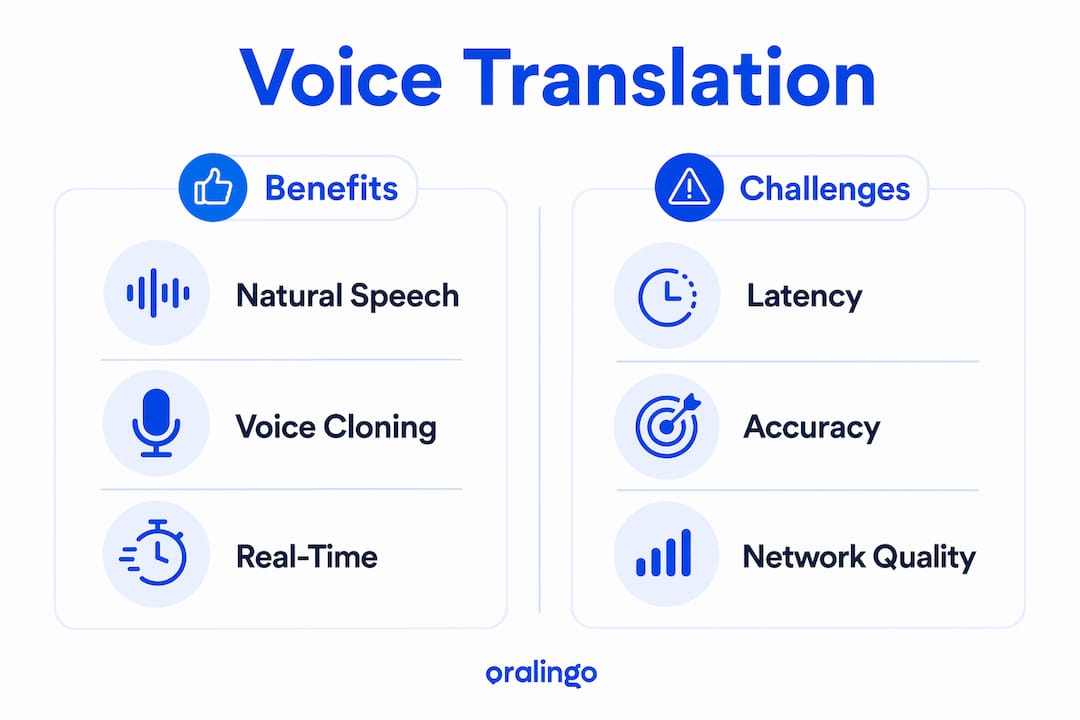
What are the benefits and challenges of voice translation in multilingual meetings?
The primary benefit is natural interaction. Participants speak freely instead of waiting for a human interpreter or switching to a shared second language. This removes the cognitive tax that non-native speakers carry when they must think, translate internally, and then respond in a foreign language.
Voice cloning adds a layer of social clarity. When a translated voice still sounds like the original speaker, listeners can track who said what without looking at the screen. The Chalmers research shows this reduces mental workload, which is especially valuable in long meetings or high-stakes negotiations. You can read more about applying this in practice in this guide to real-time multilingual negotiation.
Emotional tone also carries through. The Springer Nature study evaluates urgency preservation separately, scoring it at 3.34 out of 5. That score means a speaker's sense of urgency comes through in translation most of the time, which matters when teams are making time-sensitive decisions.
The challenges are real and should not be minimized:
- Translation errors including grammatical mistakes and noun gender errors appear in live audio output
- Accent and voice style shifts can make translated speech sound inconsistent with the speaker's original delivery
- Network dependency means quality drops when bandwidth is unstable
- Consent requirements add a step before translation begins, which can slow meeting starts
"Real-time translation quality varies with network conditions and speaker attributes. Leadership should manage expectations and implement fallback solutions like captions." — Google Meet Help
The most practical safeguard is combining voice translation with translated captions as a verification layer. Platforms actively recommend this approach because live audio translation can introduce inaccuracies that captions help catch, especially in technical or negotiation meetings.
How do major platforms implement voice translation?
Google Meet, Zoom, and Microsoft Teams each take a different approach to deploying voice translation. The table below compares their key features as of 2026.
| Feature | Google Meet | Zoom | Microsoft Teams |
|---|---|---|---|
| Translation type | Speech-to-speech audio | Voice Translator in Workplace app | Real-time interpreted audio |
| Language support | English, Spanish, French, German, Portuguese, Italian (bidirectional) | Multiple language pairs | Multiple language pairs |
| Voice cloning / tone preservation | Yes, mimics speaker tone and cadence | Not publicly listed | Not publicly listed |
| Session time limit | 90 minutes per meeting | Not publicly listed | Not publicly listed |
| Consent required | Yes, participant opt-in | Admin-controlled | Admin-controlled |
| Admin controls | Account and group level | Account, group, and user level | Account level |
Google Meet's Speech Translation is the most documented option for businesses. It supports bidirectional translation across six languages, preserves speaker tone and cadence, and helps listeners distinguish who is speaking. The 90-minute session limit is a real constraint for long workshops or all-day summits.
Zoom's Voice Translator gives admins the most granular control. Account owners can enable or disable the feature at the account, group, or individual user level and lock settings so teams cannot override them. That flexibility makes Zoom well-suited for organizations that want a staged rollout.
Microsoft Teams offers interpreted audio but does not publicly list the same level of voice cloning detail as Google Meet. Teams works best for organizations already deep in the Microsoft 365 ecosystem where integration is the priority.
What best practices help teams integrate voice translation effectively?
A successful rollout starts with honest expectation-setting. Voice translation is not perfect. Teams that know this upfront adapt better than those who expect flawless output from day one.
- Set accuracy expectations before launch. Brief participants on the 8.28% word error rate and explain that captions are a backup, not a sign that the technology failed.
- Handle consent proactively. Google Meet requires each participant to allow voice translation before others can hear it. Build this step into your meeting agenda so it does not eat into discussion time.
- Always run captions alongside audio translation. Platforms recommend combining both because captions catch errors that audio alone may miss, particularly in technical or legal discussions.
- Pilot with a specific team first. Use Zoom's group-level admin controls or Google Meet's account settings to enable translation for one team before rolling it out company-wide.
- Collect feedback after each pilot meeting. Ask participants to flag moments where translation felt confusing or where tone was lost. Use that data to adjust settings or language pair choices.
Pro Tip: For high-stakes meetings like contract negotiations or board presentations, assign one participant to monitor the caption feed in real time and flag any translation errors to the group immediately.
What future trends are shaping voice translation in meetings?
The technology is moving fast. Several trends will define how voice translation works in meetings over the next two to three years.
- Latency will drop further. The current sub-3-second benchmark is already close to natural conversation speed. Research teams are targeting sub-1-second latency for the next generation of systems.
- Urgency and emotion preservation will improve. The current MOS score of 3.34 out of 5 for urgency preservation shows room for growth. Future models will better capture stress, excitement, and hesitation in translated speech.
- Voice cloning ethics will become a governance issue. As voice cloning becomes standard, organizations will need clear consent frameworks that go beyond a simple opt-in button.
- Language support will expand. Current platforms focus on high-resource languages like English, Spanish, and French. Expect broader support for languages like Hindi, Arabic, and Swahili as training data improves.
- AI personalization will adapt translation style to context. Future systems will recognize whether a meeting is a casual check-in or a formal negotiation and adjust translation register accordingly.
You can get a broader view of where real-time translation technology is heading in 2026 and beyond.
Key takeaways
Voice translation in meetings works best when platforms combine sub-3-second latency, voice cloning, and caption fallback to deliver accurate, natural multilingual communication.
| Point | Details |
|---|---|
| Technology pipeline | Voice translation uses speech recognition, machine translation, and speech synthesis in sequence. |
| Voice cloning reduces cognitive load | Preserving speaker identity in translation lowers mental effort and improves user satisfaction. |
| Captions are not optional | Always run captions alongside audio translation to catch errors in technical or high-stakes meetings. |
| Admin controls enable staged rollout | Platforms like Zoom let admins enable translation at account, group, or user level for controlled deployment. |
| Urgency preservation matters | Translation systems must score well on emotional tone, not just accuracy, to support effective decision-making. |
Voice translation is promising, but it needs a co-pilot
I have spent time watching multilingual teams try to use voice translation as a drop-in replacement for a human interpreter. It rarely works that way, and the teams that struggle most are the ones who skipped the expectation-setting conversation.
The Chalmers voice cloning research genuinely surprised me. I expected the cognitive load reduction to be marginal. A significant improvement in user experience from simply preserving a speaker's voice is a bigger deal than most IT teams realize. When you can still hear that it is your colleague speaking, even in a different language, the social trust in the room stays intact. That is hard to put a number on, but it changes how people engage.
My honest advice: treat voice translation as a layer in your communication stack, not the whole stack. Pair it with captions, brief your team on its limits, and give people permission to ask for clarification without embarrassment. The technology is good enough to remove most language barriers in meetings today. It is not good enough to remove the need for clear communication habits.
— Poul
Oralingo makes multilingual meetings easier to manage
Language barriers slow down meetings. Oralingo is built to fix that. With support for over 100 languages and a 99% accuracy rate, Oralingo translates conversations instantly so you can focus on the discussion, not the language gap.

Oralingo's hands-free voice mode lets participants speak naturally without typing, and every conversation is end-to-end encrypted for full privacy. Whether you are running a weekly team call or a cross-border client meeting, Oralingo fits into your workflow without adding friction. Visit Oralingo to see how it works and start communicating across languages with confidence.
FAQ
What is the role of voice translation in meetings?
Voice translation in meetings converts spoken language in real time so participants can speak their native language and hear responses in their own language. It removes the need for human interpreters and reduces the cognitive load on non-native speakers.
How accurate is real-time voice translation in 2026?
A 2026 Springer Nature study reports a Word Error Rate of 8.28% and a Mean Opinion Score of 3.69 out of 5 for translation quality. Accuracy is high enough for most business conversations but not perfect, which is why captions are recommended as a backup.
Does voice translation work on Google Meet and Zoom?
Yes. Google Meet's Speech Translation supports six languages bidirectionally and preserves speaker tone. Zoom's Voice Translator is admin-controlled and can be enabled at the account, group, or user level.
Why is voice cloning important for meeting translation?
Voice cloning preserves the original speaker's tone and identity in the translated output. A Chalmers University study found this significantly reduces cognitive load and improves user satisfaction compared to generic text-to-speech translation.
What are the main challenges of using voice translation in meetings?
The main challenges are translation errors, accent inconsistencies, network-dependent quality drops, and consent management. Platforms recommend combining voice translation with captions to reduce the risk of costly misunderstandings.