
Voice translation can replace typing for most of your day-to-day relationship communication right now. For quick logistics, travel coordination, ordering food, or checking in mid-afternoon, speaking into an app and hearing your partner's words in your language is faster and more natural than typing back and forth. Where you should pause: sensitive emotional conversations, conflict resolution, therapy sessions, and any legal or medical discussion. In those moments, the words matter too much to risk a mistranslation.
Oralingo's hands-free voice mode and claimed 99% accuracy rate show how far real-time voice translation has come for couples. Research on emotional disembodiment in second-language communication confirms that even fluent speakers lose emotional tone when switching languages, so no app fully replaces the emotional work of learning each other's language. But for the practical majority of daily exchanges, voice translation works.
Voice translation works well for:
- Morning logistics and scheduling
- Travel navigation and ordering at restaurants
- Coordinating rides, pickups, or childcare
- Quick affectionate check-ins during the day
- Meeting extended family for the first time
Use caution or switch to typing/in-person for:
- Conflict resolution and apologies
- Medical or legal conversations
- Therapy or counseling sessions
- High-noise environments where the mic struggles
Table of Contents
- How does voice translation actually replace typing in a conversation?
- Voice vs. typed translation: which one fits your relationship better?
- Real relationship scenarios where voice translation replaces typing
- What features should you look for in a voice-translation app for couples?
- How to shift from typing to voice translation as a couple
- Free vs. premium: what do you actually pay for?
- Privacy and security when you replace typing with voice translation
- Where voice translation still falls short
- How Oralingo approaches voice translation for couples
- Key Takeaways
- The part most couples skip when they start using voice translation
- Try Oralingo for three days and see what changes
- Sources and further reading
How does voice translation actually replace typing in a conversation?
When you speak into a voice-translation app, your words move through three steps before your partner hears or reads them. First, automatic speech recognition (ASR) converts your spoken audio into text. Second, a machine translation (MT) engine converts that text into the target language. Third, the output reaches your partner either as on-screen subtitles or as synthesized speech. The whole pipeline looks like this: speaker → ASR → MT → subtitle or voice output.
The key difference from typing is attention and timing. When you type, you can edit before sending. When you speak, the translation arrives almost as you finish your sentence, which keeps the conversation flowing but removes your chance to revise. That speed is the main reason voice translation replaces typing for fast-moving exchanges. You stay present, you keep eye contact, and you don't spend thirty seconds hunting for the right word on a keyboard.
Latency is where things get interesting. Cloud-based processing typically adds a short delay between when you finish speaking and when your partner sees or hears the output. Local or on-device processing can cut that lag significantly, which matters most during rapid back-and-forth. Mis-transcription, where the ASR mishears a word, creates a different kind of error than a typo: it can change meaning entirely before either of you notices. Slowing your speech and using short sentences reduces ASR errors meaningfully, which is the single most practical habit couples can build early.
Statistic callout: Couples who slow their speech rate and use short, clear sentences report fewer transcription errors during real-time voice translation, according to practical guidance from audio translation specialists.
Voice vs. typed translation: which one fits your relationship better?
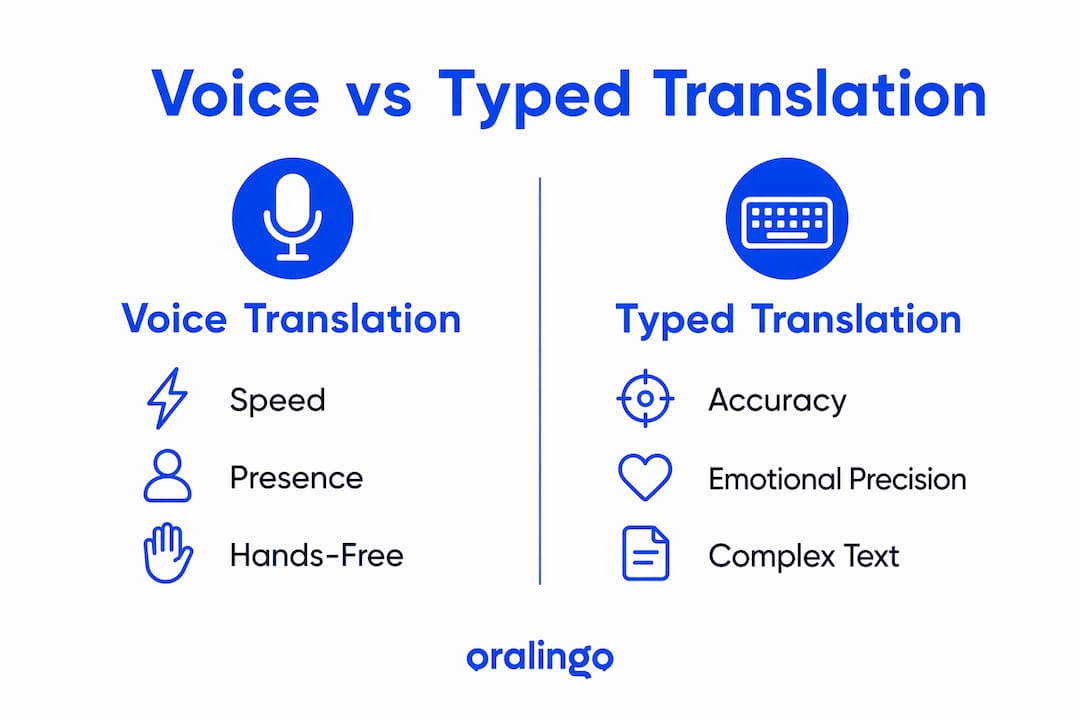
Generally, voice wins on speed and presence, while typed translation wins on accuracy and emotional precision. The right choice depends on what you're talking about.
| Scenario | Voice translation | Typed translation | Recommended mode |
|---|---|---|---|
| Morning logistics | Fast, hands-free | Slower, requires phone | Voice |
| Flirting and affection | Natural tone, warm | Editable, precise | Voice with typed confirm |
| Conflict or apology | Risk of mistranslation | More control, reviewable | Typed or in-person |
| Meeting the in-laws | Conversational flow | Awkward to type mid-chat | Voice |
| Medical or legal talk | High error risk | Reviewable, shareable | Typed or human interpreter |
Speed and turn-taking favor voice clearly. You talk, your partner hears, they respond. No one is staring at a screen composing a message. But reading translations on a phone screen does reduce eye contact and changes conversational dynamics, which is a real trade-off even with voice output. Some couples find that on-screen subtitles feel less intrusive than synthesized speech in public.
Accuracy is more nuanced. Typed input eliminates ASR errors entirely, so if your partner writes a complex sentence, the translation engine gets a clean input. Voice input adds the ASR layer, which means regional accents, background noise, and fast speech all introduce potential errors before translation even begins. For emotional content, bilingual speakers process meaning differently depending on the language, so even a perfect translation can land differently than intended.
A hybrid approach works well for many couples: use voice for the main exchange, then type a one-sentence summary to confirm the key point. That small habit catches most mistranslations before they cause friction.
Real relationship scenarios where voice translation replaces typing
Voice translation fits naturally into the parts of your day that are practical and time-sensitive. Here are the situations where it genuinely replaces typing, and the ones where you should think twice.
Morning logistics. You're getting ready, hands busy, and you need to coordinate who picks up the kids or what time dinner is. Speaking to the app and hearing the answer back is faster than typing while brushing your teeth. This is voice translation at its most useful.

Travel and navigation. Asking for directions, ordering at a local restaurant, or figuring out a transit schedule in a foreign city are all low-stakes, high-frequency tasks. Voice translation handles these well. The travel language barrier is where most couples first try voice translation, and it's often where they build the most confidence in the tool.
Meeting the in-laws. A first family dinner is one of the highest-value use cases. You want to be present, not typing. Voice translation lets you follow the conversation and respond without breaking the social flow. It helps to prep a few key phrases in advance and set the app to your partner's family's dialect.
Playful flirting. Short, warm exchanges translate well. A quick "I miss you" or "you looked great today" works fine through voice. The emotional stakes are low enough that a minor mistranslation is easy to laugh off.
Childcare coordination. Urgent, practical, and often hands-free by necessity. Voice translation is a natural fit.
Where not to use it. Skip voice translation for serious apologies, conflict resolution, and any conversation where the exact wording matters. Research on emotional meaning in bilingual couples therapy shows that people switch languages based on emotional safety and disclosure, and a machine in the middle of that moment can strip the urgency right out of the words. For therapy, medical appointments, or legal discussions, use a human interpreter or type carefully.
What features should you look for in a voice-translation app for couples?
Prioritize live two-way conversation mode, low latency, strong ASR for your specific dialects, and clear privacy controls. Everything else is secondary.
Essential features:
- Live two-way conversation mode. Both partners speak and hear translations in real time, without switching turns manually.
- Hands-free voice mode. No tapping required mid-conversation. You talk, the app listens and translates.
- Low latency. The shorter the delay between speaking and output, the more natural the exchange feels.
- Strong ASR for your dialects. A general-purpose engine may struggle with regional accents. Test your specific language pair before relying on it.
- End-to-end encryption. Your intimate conversations should stay private.
- Offline mode. Critical for travel, where data may be unreliable or expensive.
Nice-to-have features:
- Relationship memory or context storage. Apps that store nicknames and cultural shorthand produce warmer, less textbook-sounding translations for intimate exchanges.
- Speaker diarization. The app labels who said what, which helps during review.
- Easy error-correction UI. A quick tap to re-translate or flag a mistranslation reduces friction.
- Cross-device support. iOS and Android compatibility matters if you and your partner use different phones.
Pro Tip: Before committing to any app for relationship use, run a five-minute test conversation covering three topics: something practical, something affectionate, and something slightly complex. That range will reveal latency, accuracy, and tone issues faster than any feature list.
How to shift from typing to voice translation as a couple
Start with one agreement: use voice translation for practical topics and keep typing or in-person conversation for anything emotionally sensitive. That single rule prevents most early frustrations.
Setup steps:
- Download the app on both devices and confirm it supports both of your languages and dialects.
- Set your language pair and test the microphone in a quiet room before your first real conversation.
- Choose your output mode: subtitles for quiet settings, synthesized voice for hands-free situations.
- Enable any offline language packs if you're traveling.
- Review the app's privacy settings together, especially data retention and microphone permissions.
Etiquette habits that actually help:
- Speak in short sentences. One idea at a time gives the ASR engine a clean signal.
- Wait for the translation to finish before responding. Overlapping speech is one of the most common failure modes for real-time voice translation.
- Use your partner's name at the start of a sentence. It helps the app distinguish speakers.
- Slow down slightly. You don't need to speak unnaturally slowly, just deliberately.
- Confirm key points. A quick "so you mean X?" after a complex exchange catches errors before they become misunderstandings.
Pro Tip: Run a five-minute daily logistics check using only voice translation for three days straight. Pick a low-stakes topic like tomorrow's schedule or grocery needs. By day three, the rhythm feels natural and you'll know exactly where the app needs help.
Free vs. premium: what do you actually pay for?
Free tiers often cover casual use just fine. Premium matters when you need offline mode, relationship memory, or high-volume translation across a long trip or extended family visit.
Typical premium features worth paying for:
- Offline language packs (essential for travel without reliable data)
- Higher-quality text-to-speech voices that sound less robotic
- Conversation history and relationship memory
- Expanded language pairs or dialect support
- Faster server processing that reduces latency
Common subscription shapes: most apps offer a monthly plan and a discounted annual plan. Some offer per-language packs as one-time purchases, which works well if you only need one language pair.
Value tip: If you're testing voice translation before committing, use a free trial during a weekend trip or a family visit. That concentrated use will tell you whether premium features are worth it for your specific situation far better than a month of casual home use.
Privacy and security when you replace typing with voice translation
Check whether the app processes your audio locally on the device or sends it to a cloud server. That single question determines how exposed your conversations are.
Privacy checklist for couples:
- Local vs. cloud processing. Local processing keeps audio on your device. Cloud processing is usually faster but means your voice data travels to a server.
- End-to-end encryption. Confirms that even the app provider cannot read your conversations.
- Data retention policy. How long does the app store your audio or transcripts? Look for a clear answer in the privacy policy.
- Microphone permissions. The app should request microphone access only when you're actively using it, not in the background.
- Shared conversation history. Decide together whether you want both partners to have access to the conversation log, and whether that log can be deleted.
- Relationship memory opt-in. If the app stores nicknames or context, confirm you can turn that off or delete it.
Emotional safety matters too. Agree in advance that voice translation is not for conflict. Using a translation app during an argument can feel like hiding behind a machine, and a mistranslation in that moment can escalate things fast. Set a shared rule: if the conversation gets heated, put the app down and find another way to communicate.
Where voice translation still falls short
The core limitations are background noise, overlapping speech, regional dialects, emotional disembodiment, and latency. Knowing these in advance lets you plan around them.
Background noise is the most common failure. A busy restaurant, a crowded train platform, or a noisy family gathering will degrade ASR accuracy noticeably. Couples in these situations often fall back on hand gestures, written text, or simply moving to a quieter spot.
Overlapping speech confuses most ASR engines. If both partners speak at the same time, the transcript becomes garbled. The fix is simple but requires practice: take turns deliberately, and wait for the translation to appear before responding.
Regional dialects and accents are a real gap. General-purpose engines train on standard dialect data, so a strong regional accent, a rural dialect, or a minority language variant may produce frequent errors. Test your specific language pair carefully.
Emotional disembodiment is the subtlest limitation. Research on loving a partner in a foreign language shows that emotional words carry different conceptual weight across languages, and machine translation preserves vocabulary but strips tone, timing, and urgency. "I love you" and its equivalents in other languages do not carry identical emotional weight, and a translation engine cannot close that gap.
Sarcasm, idioms, and cultural sayings translate poorly. A joke that lands perfectly in one language often becomes a flat, confusing statement in another. If your communication style relies heavily on irony or culturally specific humor, expect more errors in those moments.
When to switch to a human interpreter or in-person conversation: any medical or legal discussion, couples therapy, high-stakes reconciliation after a serious conflict, and any moment where the exact wording could have lasting consequences.
How Oralingo approaches voice translation for couples
Oralingo is built around the idea that couples should focus on the conversation, not the language barrier. Its hands-free voice mode means neither partner needs to type or tap during a conversation. You speak, the app translates, your partner hears or reads the output, and the exchange keeps moving.
The core feature set aligns well with what couples actually need: live two-way voice translation, support for over 100 languages, end-to-end encryption on every conversation, and a claimed 99% accuracy rate. The encryption means your intimate exchanges stay private, which matters when you're sharing the kind of personal content that belongs between two people.
For a practical first experiment, try a three-day logistics trial. Use Oralingo exclusively for morning planning, errand coordination, and quick check-ins for three days. Keep emotional or complex conversations in your usual mode. By the end of day three, you'll have a clear sense of where the app fits your relationship and where you still prefer to type or talk face to face. Oralingo's blog on real-time translation for romantic partners offers additional practical guidance for couples starting out.
Key Takeaways
Voice translation reliably replaces typing for practical, time-sensitive couple communication, but emotional and high-stakes conversations still need typing, in-person talk, or a human interpreter.
| Point | Details |
|---|---|
| Voice beats typing for logistics | Use voice translation for scheduling, travel, and quick check-ins where speed matters more than precision. |
| Emotional nuance has limits | Machine translation preserves words but strips tone and urgency; avoid it for conflict or apologies. |
| Short sentences reduce errors | Speaking one idea at a time gives ASR a clean signal and cuts mistranslation risk significantly. |
| Privacy check is non-negotiable | Confirm end-to-end encryption and data retention policy before sharing intimate conversations with any app. |
| Oralingo for couples | Oralingo's hands-free voice mode, 100+ language support, and end-to-end encryption make it a practical starting point for a three-day logistics trial. |
The part most couples skip when they start using voice translation
Most couples focus on the technology and skip the agreement. They download an app, test it once, and assume it will handle everything. What actually determines whether voice translation works in a relationship is not the app's accuracy rate. It's whether both partners have agreed on when to use it and when not to.
The research on emotional processing in bilingual relationships is clear: technology works best as a bridge while partners build real linguistic and emotional connection, not as a permanent substitute for that work. The couples who get the most out of voice translation are the ones who treat it as a tool for the practical layer of their relationship, not the emotional core.
The ritual worth trying: pick one topic each morning, something low-stakes like the day's schedule, and handle it entirely through voice translation. Then spend five minutes at the end of the day talking about anything that felt unclear or off. That small daily loop builds trust in the tool and keeps both partners calibrated on where it helps and where it doesn't.
Try Oralingo for three days and see what changes
Typing slows you down when you just want to talk. Oralingo's hands-free voice mode lets you speak naturally, in your language, and your partner hears it in theirs. No typing. No switching apps. Just a conversation.

The privacy is built in: every conversation is end-to-end encrypted, so what you say stays between you. With support for over 100 languages, the odds are strong that your specific language pair is covered. Start with a three-day logistics trial. Use Oralingo for morning planning and daily check-ins, keep emotional conversations in your usual mode, and see how much easier the practical layer of your relationship gets. Download Oralingo and run your first voice conversation today.
Sources and further reading
The claims in this article draw on the following sources. Each one is worth reading if you want to go deeper on a specific topic.
- Loving a Partner in a Foreign Language — Birkbeck, University of London research on emotional communication in cross-linguistic relationships
- When Love Speaks More Than One Language — Welldoing.org on bilingual couples therapy and emotional word meaning
- Love in the Time of Translation — Daniel Dashnaw on emotional disembodiment and language barriers in relationships
- Dating Someone with a Different Mother Tongue — Phys.org on language learning and relationship connection
- Their Secret to a Happy Marriage? A Translation App — New York Times reporting on couples using translation apps daily
- Local couples using AI translators — NH Register on real-world voice translation use and fallback strategies
- How to Translate Voice and Audio Files Accurately — Practical ASR accuracy guidance for voice translation
- How to Make a Relationship Work When You Don't Speak the Same Language — Vice on real couples navigating language barriers
- Oralingo — Talk to anyone, in any language — Product page for Oralingo's voice translation features and privacy details
- Oralingo blog: translation tools for romantic partners — Practical feature guide for couples choosing a translation app