
Yes, async voice messages are one of the fastest, lowest-pressure ways to practice speaking with a partner in another language. You record when you're ready, listen back before sending, and your partner replies on their own schedule. No live pressure, no awkward silences.
Here's what to do right now:
- Keep messages short. Aim for short voice notes that allow detailed feedback.
- State your goal upfront. Say "Please correct my pronunciation" or "Tell me if this sounds natural" at the start.
- Use common formats. M4A, MP3, and WAV work across most apps and transcription tools.
- Send a starter. Try: "Hi, I'm [name]. I'm learning [language] and would love to exchange voice notes. Here's a little about me..."
- Ask for corrections. End every message with one specific correction request.
- Use a translation layer. Apps like Oralingo, which supports many languages with high accuracy and end-to-end encryption, let you send voice messages with pre-delivery translation so your partner always understands you.
- Transcribe for study. On iPhone, the built-in transcription feature can convert voice notes to text for review.
Table of Contents
- Why voice messages help your speaking practice more than text alone
- Which format should you use: text, audio, or video?
- How do you start a voice-message exchange with a language partner?
- Practical tips for recording voice notes your partner can actually use
- How to ask for feedback and give corrections that actually help
- How do you transcribe and translate voice messages for study?
- Common problems with voice message exchanges and how to fix them
- How real-time voice translation changes the exchange workflow
- Key Takeaways
- The format that actually moves the needle
- Talk to anyone, in any language, with Oralingo
- Useful sources
Why voice messages help your speaking practice more than text alone
Voice notes train three skills at once: speaking, listening, and pragmatic timing. Text only trains one.
When you record a voice message, you're doing something that pure text chat can't replicate. You have to retrieve vocabulary, string sentences together in real time, and produce natural-sounding speech. Then you listen back and catch your own mistakes before sending. That self-monitoring loop is a form of deliberate practice, and it's one of the most effective ways to improve.
Language-exchange platforms consistently recommend mixing voice notes into practice routines because they build fluency in ways text simply doesn't. The act of recording forces you to commit to a pronunciation, a rhythm, and a word choice. You can't quietly delete a syllable the way you can backspace a typo.
Listening to your partner's reply also gives you realistic pronunciation exposure. You hear how a native speaker actually says something, not how a textbook says they say it. That gap is often significant.
- Deliberate practice: Recording and replaying your own voice builds self-awareness faster than writing.
- Spaced repetition: Returning to saved voice notes over days reinforces vocabulary and phrasing naturally.
- Retrieval practice: Speaking from memory (rather than reading from notes) strengthens recall.
- Pronunciation modeling: Hearing your partner's natural speech gives you a real target to aim for.
Some language-exchange apps position voice messaging as a core feature for exactly this reason: it's low-pressure practice with a real person, not a script.
Pro Tip: Keep individual voice notes short to get more detailed feedback. Shorter messages get more detailed feedback. A 3-minute ramble is hard to correct; a 60-second focused message on one topic is easy to respond to.
Which format should you use: text, audio, or video?
Choose your format based on the skill you want to build. Text sharpens accuracy and vocabulary. Audio builds pronunciation and fluency. Video adds prosody and cultural nonverbal cues.
Exchange platforms that support all three formats note that learners who mix them progress faster than those who stick to one. The reason is simple: each format stresses different parts of your language ability.
| Format | Best for | Limits |
|---|---|---|
| Text | Grammar accuracy, vocabulary, writing | No pronunciation practice; easy to over-edit |
| Voice note | Pronunciation, fluency, natural phrasing | No visual cues; harder to correct in real time |
| Video call | Prosody, facial expression, cultural context | Requires scheduling; higher anxiety for beginners |
A practical weekly routine that mixes all three:
- 3 voice note exchanges (Monday, Wednesday, Friday): 60–90 seconds each, one topic per message.
- 2 text check-ins (Tuesday, Thursday): Share a short paragraph or ask a grammar question.
- 1 short video chat (weekend): 10–15 minutes, free conversation on a topic you've already discussed by voice.
When to move from voice notes to live calls: once you can record a 90-second message without stopping to look up words, you're ready. Live calls reward the fluency you've built through async practice.
How do you start a voice-message exchange with a language partner?
A four-step process gets you from zero to your first exchange without awkwardness.
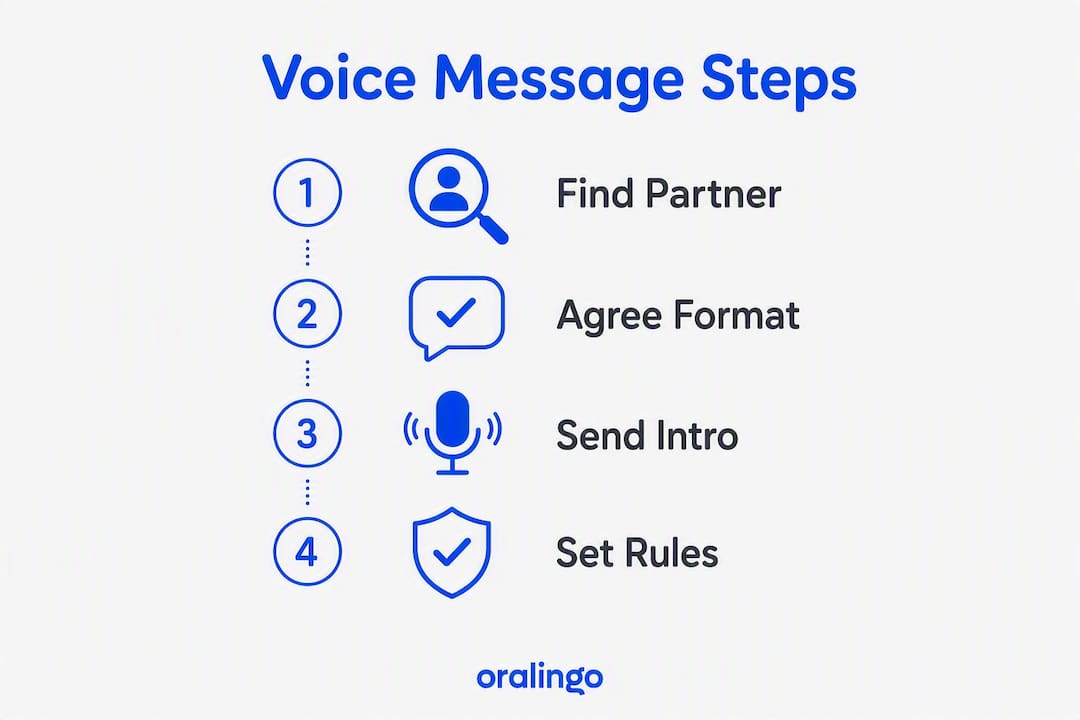
Step 1: Find a compatible partner. Look for someone whose native language is what you're learning, who is learning your language, and whose schedule and interests overlap with yours. Matching by interest and schedule significantly improves how long exchanges last and how useful they are.
Step 2: Agree on voice notes before you start. Not everyone prefers audio. Send a short text first: "I'd love to practice by exchanging voice notes. Would that work for you?"

Step 3: Send a 30–90 second intro. Keep it simple and end with a question to prompt a reply.
Step 4: Set correction rules and response time. Agree upfront on what kind of feedback you want and how quickly you'll each reply.
Sample starter scripts by level
Beginner: "Hi! My name is [name]. I'm learning Spanish. I like [hobby]. What do you like to do? Please correct my pronunciation if something sounds wrong."
Intermediate: "Hey, I'm [name]. I've been studying French for about a year. I want to work on sounding more natural. Could you tell me if any of my sentences sound awkward? I'll do the same for your English."
Advanced: "Hi, I'm [name]. My Spanish is at a B2 level, but I struggle with regional expressions and informal speech. I'd love a partner who can flag when I sound too formal. Happy to give detailed grammar feedback on your English in return."
Etiquette checklist for the first three exchanges
- Ask before sending long audio. A quick text ("Is now a good time for a voice note?") shows respect.
- State your correction preference in every message until it becomes routine.
- Respond within the agreed window, even if just to say you need more time.
- Share a transcript of your message if your partner asks for one.
- Thank your partner for corrections. It takes effort to give good feedback.
Practical tips for recording voice notes your partner can actually use
Short, clear recordings with minimal background noise and an explicit context line at the start make every message easier to correct and translate.
Before you record:
- Move to a quiet room or close a window. Background noise is the single biggest barrier to clear audio.
- Hold your phone 6–8 inches from your mouth, not pressed against it.
- Say one sentence at the very start: "This message is about [topic]. Please focus on [pronunciation / grammar / naturalness]."
- Keep the message to one topic. If you have two things to say, send two messages.
- Listen back before sending. If you stumble badly on a word, re-record that section.
File format guidance:
- M4A and MP3 work on virtually every device and transcription tool.
- WAV gives the best audio quality but creates larger files. Use it when audio clarity matters most.
- OGG and OPUS are common in messaging apps and are widely supported by transcription services.
- Avoid sending compressed voice memos that cut off at a fixed bitrate. Most default app settings are fine.
Pro Tip: Start every voice note with a one-line "what I want" header spoken aloud: "Please correct only my pronunciation today." It takes five seconds and saves your partner from guessing what kind of feedback to give.
Quick checklist before you hit send
- Background is quiet
- Message is under 90 seconds
- Topic is stated at the start
- Correction request is included
- You've listened back at least once
How to ask for feedback and give corrections that actually help
Always tell your partner what kind of feedback you want. Pronunciation, grammar, vocabulary, and naturalness are four different things, and a good partner can only prioritize one at a time.
Correction request phrases by level:
- Beginner: "Please correct any words I say wrong. Just repeat the correct version."
- Intermediate: "Can you flag any sentences that sound unnatural? You don't need to correct everything."
- Advanced: "I'd love feedback on my word choice and register. Am I too formal? Too casual?"
Practical correction methods partners can use on voice notes:
- Repeat-after-me: Record a short clip saying the correct version of a phrase you got wrong.
- Targeted transcript edit: Type out what you heard, then correct it in brackets: "I go to the store yesterday [I went to the store yesterday]."
- Short voice-model reply: Record a natural version of the sentence you were trying to say.
- Slow playback note: Flag a specific word and say it slowly so you can hear the correct pronunciation clearly.
Pro Tip: Use the "correction question" protocol: at the end of your message, ask one specific question like "Did that sentence sound natural?" This focuses your partner's attention and prevents them from correcting every small error at once. Prioritize high-impact mistakes over minor slips.
How do you transcribe and translate voice messages for study?
The fastest workflow: save the audio, auto-transcribe it, clean the transcript, then paste it into your study notes or a spaced-repetition app.
Here's a step-by-step process:
- Export the voice note. Most messaging apps let you share or save audio files directly to your phone's storage.
- Upload to a transcription tool. Tools that accept M4A, MP3, WAV, OGG, and OPUS formats can auto-detect language and separate speakers for cleaner output.
- Clean the transcript. Fix obvious errors, especially proper nouns and names.
- Translate if needed. Paste the cleaned text into a translation tool or use an app with built-in translation.
- Save to your study system. Add key phrases to a flashcard app or annotated notes file.
You can also forward voice notes directly to specialized transcription services that support messages up to around 20 minutes and translate them from many common chat apps. The result is a text transcript you can search, copy, and study.
Features to look for in a transcription tool:
- Auto language detection
- Speaker separation (especially useful for two-person exchanges)
- Export formats: SRT and TXT are the most useful for study
- Audio length limits (some free tools cap at 5–10 minutes)
Privacy note: Before uploading any voice note, check the tool's processing and retention policy. Some services delete files immediately after transcription or offer on-device processing to limit data retention. For sensitive conversations, on-device or end-to-end encrypted options are worth the extra step. Oralingo uses end-to-end encryption on every conversation, so your voice exchanges stay private by default. You can read more about how instant message translation works and what that means for your data.
For learners who want to compare private and offline transcription options, a side-by-side look at tools that process audio locally can help you pick the right one for your workflow.
Common problems with voice message exchanges and how to fix them
Most issues come down to audio quality, message length, or mismatched expectations. Here are the top five problems and one-line fixes.
- Hard-to-hear audio: Move to a quieter space and hold the mic further from your mouth. Re-record if it sounds muffled.
- Rambling messages: Set a 90-second limit before you start recording. One topic per message.
- No response: Agree on a response window upfront (24–48 hours is standard). A quick text check-in is fine if you haven't heard back.
- Unclear corrections: Ask your partner to use the repeat-after-me method or type out the corrected sentence.
- Cultural misunderstandings: When something feels off, ask directly: "I wasn't sure if that phrase was appropriate. Does it sound natural to you?"
Quick-fix checklist for unreadable audio:
- Re-record in a quieter location
- Use a headset mic if your phone's built-in mic picks up too much room noise
- Send a text version alongside the audio so your partner has a reference
- Ask your partner to request a transcript if they can't follow the audio
Splitting long thoughts into two or three short messages is almost always better than one long one. It's easier to correct, easier to respond to, and keeps the exchange feeling like a conversation.
How real-time voice translation changes the exchange workflow
Real-time voice translation shortens the feedback loop but doesn't replace deliberate practice. Use it to bridge comprehension while you still practice producing the language yourself.

Apps with pre-delivery translation, like Oralingo, translate your message before it's displayed to your partner. That means your partner reads your message in their language instantly, even if your phrasing isn't perfect yet. It keeps the conversation moving without breaking the flow to look up words.
Key features to look for in a voice translation tool:
- Pre-delivery translation: Your message is translated before your partner sees it.
- Hands-free voice mode: Speak naturally without typing. Useful for longer exchanges or when you're on the go.
- Language auto-detect: The app identifies which language you're speaking without you having to set it manually.
- Tone and context preservation: Good translation tools maintain the register of your message, whether formal or casual.
- Multi-language support: Oralingo supports 100+ languages, which covers most language-exchange pairings.
Limitations to know about:
- Slang and regional expressions can trip up any translation engine. Always flag these for your partner to confirm.
- Homonyms and overlapping speech in voice mode can produce errors. Listen back and correct before sending when the stakes are high.
- Low-resource languages (those with less training data) may produce less accurate translations. Check accuracy on a few test messages first.
Pro Tip: Use voice translation as a comprehension aid, not a crutch. If you rely on it to understand every word your partner says, you're not building listening skills. Use it to catch the 10–20% you miss, then try to understand the rest from context.
Oralingo's end-to-end encryption means your voice exchanges are processed privately. For learners who want to understand how translation apps work in real conversations, including accuracy edge cases and on-device vs. server-side processing, that context matters when choosing a tool.
Key Takeaways
Async voice messages are the most practical format for speaking practice with a language partner: keep them short, state your feedback goal upfront, and use transcription tools to turn exchanges into study material.
| Point | Details |
|---|---|
| Keep messages short | 30–90 seconds per voice note gets more useful corrections than longer recordings. |
| State your feedback goal | Say what you want corrected (pronunciation, grammar, naturalness) at the start of every message. |
| Mix formats weekly | Combine voice notes, text check-ins, and occasional video to build different language skills effectively. |
| Transcribe for study | Export audio, auto-transcribe, and paste key phrases into a flashcard or notes app. |
| Use Oralingo for translated voice exchanges | Oralingo's pre-delivery translation, hands-free voice mode, and end-to-end encryption make voice-message exchanges easier and private across many languages. |
The format that actually moves the needle
Most learners spend months in text chat and wonder why their speaking doesn't improve. The answer is usually simple: they haven't spoken. Voice notes close that gap without the anxiety of a live call.
What I find underestimated about async voice exchange is the self-correction loop. When you listen back to your own recording before sending, you catch errors you'd never notice in live speech. That moment of "wait, that didn't sound right" is where real learning happens. It's not glamorous, but it's effective.
The correction protocol matters too. Learners who ask for specific feedback get specific feedback. Those who say "tell me what I did wrong" often get nothing, because the task feels too large. One focused question per message changes the whole dynamic.
Send your first 30-second voice note today. It doesn't have to be perfect. It just has to be sent.
Talk to anyone, in any language, with Oralingo
Voice message exchanges are more useful when your partner actually understands you, even when your grammar isn't perfect yet. Oralingo translates your messages before they're displayed, so the conversation keeps moving.

With hands-free voice mode, 100+ languages, and end-to-end encryption on every exchange, Oralingo is built for exactly the kind of multilingual voice messaging this article describes. You don't need to type, and you don't need to worry about your message being misread or misunderstood. The translation happens automatically, the tone is preserved, and your conversation stays private.
It's a practical next step for any learner who wants to connect with foreign language partners without the friction of switching between a messaging app and a separate translation tool. Download Oralingo and send your first translated voice message today.
Useful sources
A reminder: before uploading any voice note to an external tool, check its privacy policy and audio retention limits. Free tiers often have shorter processing windows or store files longer than paid plans.
- HelloTalk: Language Exchange with Native Speakers — find partners by language, city, and interest; supports text, voice, and video.
- Tandem Language Exchange App — mixed-format exchange platform with in-app correction tools.
- SpeakApp: Translate Voice Message to Text Free Online — transcription and translation tool supporting M4A, MP3, WAV, OGG, and OPUS with speaker separation.
- Baraphrase: Instantly Translate Your Voice Notes — forward voice notes for text translation and transcript, supports messages up to ~20 minutes.
- Lingocard: Free Speaking Practice with Native Speakers — partner matching by interest, schedule, and learning style.
- Obsidian Ridge Labs: Private and Offline Transcription Apps Compared — side-by-side comparison of transcription tools that process audio locally.
- Oralingo: Real-Time Chat Translation Explained — how pre-delivery translation works and what it means for voice exchanges.