
Handling names and brands in live translation means locking terms into a glossary before the conversation starts, using placeholders so machine translation never touches proper nouns directly, and adding a transliteration or pronunciation hint whenever a script or sound might confuse the listener. High-stakes names, legal, contractual, or safety-related, get routed to a human. This is an in-session fix, not a corporate naming exercise. Oralingo builds this pipeline directly into its pre-delivery translation and hands-free voice mode, so you don't have to think about it mid-conversation.
TL;DR:
- Loading official spellings, pronunciations, and forbidden translations into a glossary before conversations ensures brand and name accuracy in real-time translation.
- Using placeholders and a detect, swap, translate, and reinsert cycle prevents model retraining issues and maintains consistency across languages.
- Transliterating names is necessary when scripts hinder pronunciation, but most brand recognition is best preserved by keeping the original, especially in voice mode.
- Fixes for misrendered names should be quick and reversible, with the option to override glossaries and route high-stakes content for human review.
- Proper setup and testing of glossaries, including phonetic hints and normalization rules, are crucial for preserving name integrity during live chat or voice translation.
Table of Contents
- Your Live-Chat Checklist for Translating Names and Brands
- How Do You Set Up a Glossary and Runtime Flow for Names?
- When Should You Translate, Transliterate, or Keep a Name As-Is?
- What Do You Do When a Name Gets Mistranslated Mid-Conversation?
- What Oralingo Gets Right About Translating Names and Brands
- Try Oralingo for Conversations Where Names Actually Matter
- Sources
Your Live-Chat Checklist for Translating Names and Brands
You don't need a linguistics degree to keep names and brands intact in a live chat or call. You need a habit. Run through this before the conversation gets moving, and again anytime a new name shows up.
- Ask for the preferred display name and pronunciation up front. Someone named "Siobhan" or "Nguyễn" will thank you for asking once instead of butchering it five times.
- Check that brand and product names are already in your session glossary. If your app supports a glossary, load it before the chat starts, not after the first mistranslation.
- Use placeholders for ambiguous brand tokens. A word like "Windows" or "Orange" can be an operating system, a French telecom company, or just a window. Flag it before translation runs, and reinsert the validated form afterward.
- When you're not sure, keep the original name. Add a phonetic hint or a parenthetical transliteration rather than guessing at a translation that might be wrong.
- Escalate anything with legal or safety weight. A misrendered company name in a casual chat is embarrassing. A misrendered name in a contract or medical instruction is a liability.
Loading brand and product terms into a glossary before they ever appear in conversation is one of the more overlooked fixes here, and it happens to be the one that prevents the most common errors before they reach the other person, according to the overview of AI-powered localisation workflows.
Pro Tip: If a name has multiple valid spellings across languages (like "Muhammad" or "Catherine"), store all common variants in the glossary as accepted matches so the app doesn't flag them as errors every single time.
How Do You Set Up a Glossary and Runtime Flow for Names?
A glossary is only useful if it captures the right fields. For every name or brand you expect to come up, you want:
- Canonical form: the official spelling or name you're locking in.
- Local display: how it should appear to a specific language audience.
- Pronunciation: a phonetic guide for voice output.
- Transliteration: the accepted script conversion, if scripts differ.
- Accepted scripts: which writing systems are valid matches.
- Forbidden translations: terms the app should never auto-translate, even if a dictionary match exists.
- Context notes: anything that changes the decision, like industry or region.
Once the glossary exists, the runtime needs a consistent pattern: detect the name or brand token, swap it for a placeholder, run the translation on the surrounding text, then reattach the validated form. This detect, placeholder, translate, reinsert sequence avoids retraining a model every time a new brand shows up, and it gives you fast fixes through a term bank when the data already exists, according to research on brand handling in machine translation. That same research found that BMCache-style term banks and placeholder strategies produced better brand consistency in A/B tests, which is strong evidence that this isn't a nice-to-have step.
On the API side, glossary and placeholder metadata should travel with every machine translation or LLM call. When latency allows, route terminology-heavy utterances to an LLM specifically, since large language models tend to handle named-entity context better than dedicated MT engines, according to a 2026 build playbook for real-time translation systems.
Nickname and display-name handling also needs a normalization rule. Standards guidance for internationalized nicknames recommends mapping non-ASCII spaces to a regular ASCII space, trimming leading and trailing spaces, normalizing text with NFKC, and applying case-mapping rules during comparison, per RFC 8266. Skip this step and your app might treat "María" and "Maria" as two different people.
Before rollout, test single-word replies, acronyms, code-switched sentences, and TTS pronunciation samples. These four message types are the ones most likely to expose a broken glossary rule, according to Oralingo's own guide to business chat translation.
When Should You Translate, Transliterate, or Keep a Name As-Is?
This is the decision most people get wrong, and it's usually because they default to "translate everything." Names and brands don't work that way.
Here's the practical decision flow:
- Keep the original when brand recognition matters more than local phonetics. "Nike" stays "Nike" in almost every language, because changing it would confuse the listener more than it helps.
- Transliterate when the script itself would block pronunciation. A Japanese speaker reading "スミス" needs it converted to "Smith," not translated into a different word.
- Translate only when the term has genericized in the target language. This is rarer than people assume, and it depends entirely on locale.
That last point matters more than it looks. A term can be a registered brand in one country and a fully generic word in another, so the decision has to run through your glossary and account for local cultural status, not a blanket rule, according to analysis of brand genericization in translation. "Aspirin" is a genericized word in the US. In some countries, it's still a protected trademark. Get this wrong and you're not just awkward, you're potentially misrepresenting a brand.
For voice, store phonetic hints (simple phonetics or IPA) and preferred TTS voice or prosody settings directly in the glossary entry. Acronyms and stylized punctuation need their own canonical expansion and a preferred spoken form, since "NASA" spoken as four separate letters sounds broken to most listeners.
Test the voice output specifically for stress placement and syllable length. If a name comes out garbled, don't just hope for the best. Adjust the TTS pacing, or split the token into smaller chunks so the engine has room to render it clearly. This matters most across script boundaries, like Latin to Cyrillic or Latin to Kana, where a single mismatched syllable can turn a name unrecognizable.
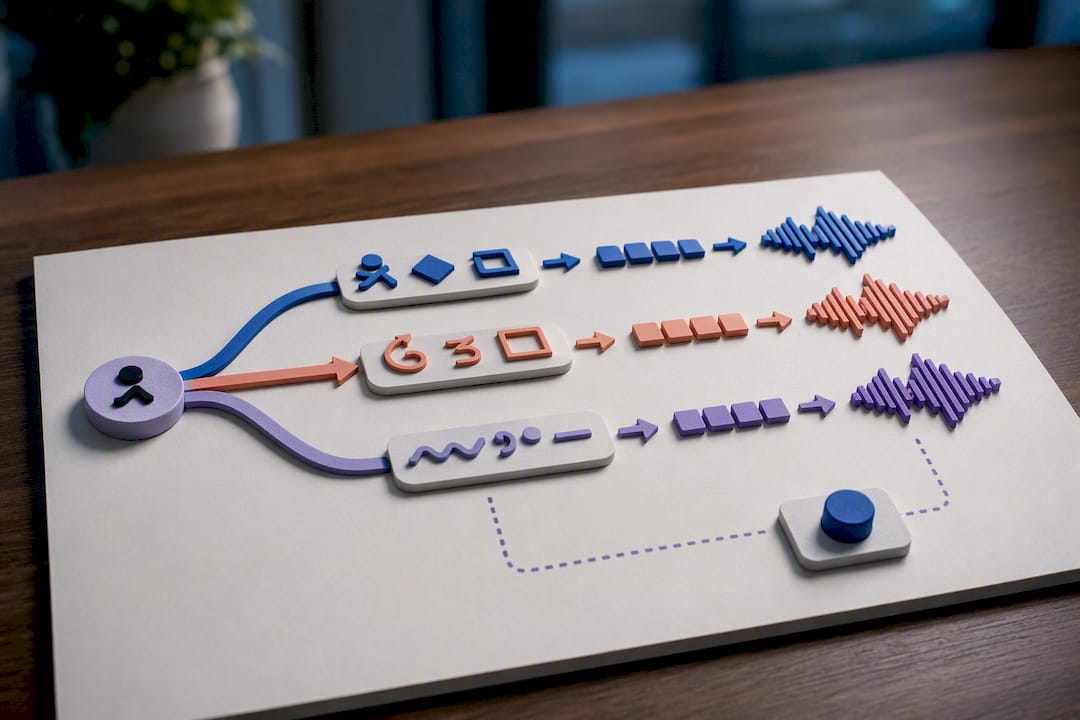
Pro Tip: If a name repeatedly comes out wrong in voice mode, try adding a simplified phonetic spelling as a glossary alias, like storing "Xiaomi" with a pronunciation hint of "shao mee," so the TTS engine has something closer to a direct read.
What Do You Do When a Name Gets Mistranslated Mid-Conversation?
Mistakes happen even with a solid glossary. What matters is how fast you can fix it without derailing the conversation.
- Spell it out. Ask the other person how they'd like their name written, then confirm that spelling out loud if you're on a voice call.
- Ask for the preferred transliteration. This works especially well when a name crosses scripts and the automatic version looks wrong.
- Force the glossary's canonical form for that message. Most apps let you override a single translated line without changing your whole session setup.
- Pause auto-translation for that message only, or route it to a human-reviewed channel if the stakes are high enough to warrant it.
- Log the error after the session ends. Add or correct the glossary entry, then re-run a quick test covering single-word replies and code-switched segments to confirm the fix holds.
Some situations shouldn't touch machine translation at all. Legal documents, signed agreements, or anything carrying formal liability call for a certified interpreter, not an app, no matter how good the app's accuracy rate is. Draw that line before you need it, not after a signature is already on the page.
What Oralingo Gets Right About Translating Names and Brands
Most translation apps treat names and brands as an afterthought, something the model will "probably" get right. That assumption is where most of the embarrassing mistakes come from. The apps that handle this well treat names as data to be managed, not text to be guessed at.
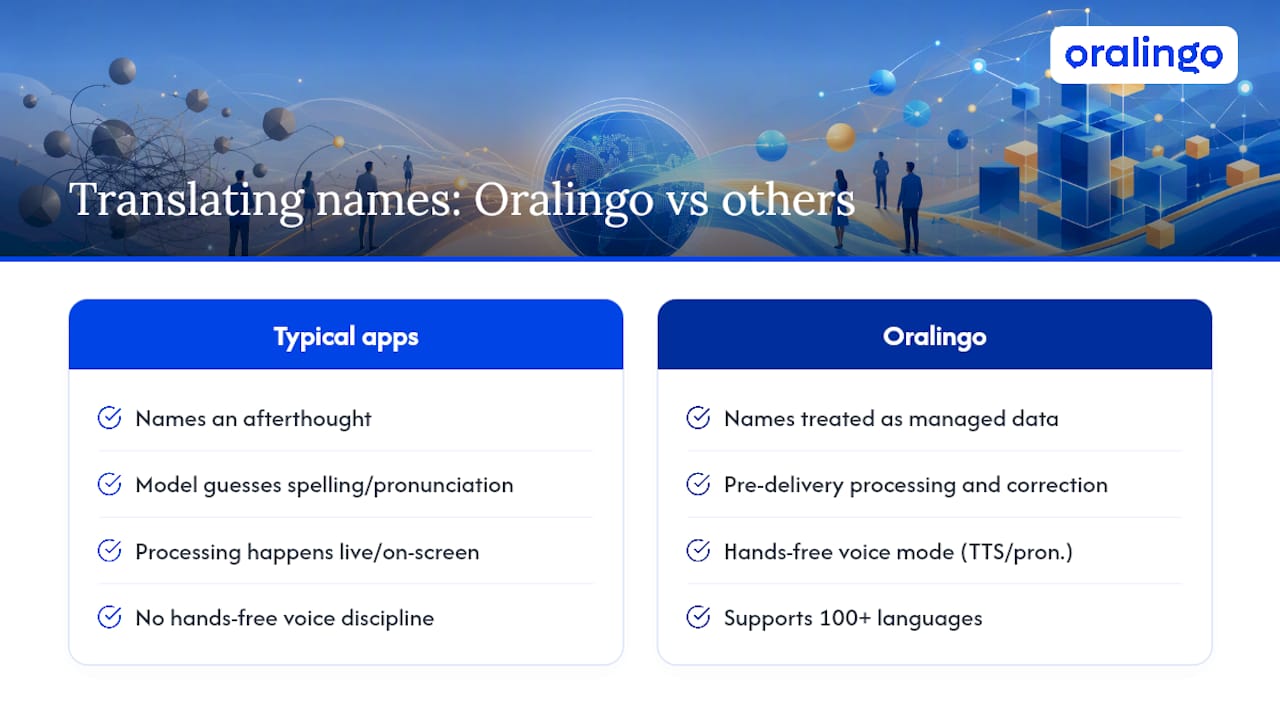
Oralingo's pre-delivery translation model means messages get processed and corrected before they ever reach the other person's screen, which gives the glossary and placeholder logic room to work without slowing down the conversation. The hands-free voice mode extends that same discipline to spoken conversations, where pronunciation and TTS behavior matter as much as spelling. With support across more than 100 languages and end-to-end encryption on every conversation, the workflow this article recommends isn't theoretical. It's built into how the app already functions.
If you want to see it in practice, run a few tests yourself: enable a glossary entry for a name that's given you trouble before, try a single-word reply, throw in a code-switched sentence, and compare the voice output against a phonetic hint you've added. Oralingo's guides on navigating foreign markets, translation for romantic partners, and business chat translation walk through real scenarios where these exact fixes made the difference between a smooth exchange and a confusing one.
— Poul
Try Oralingo for Conversations Where Names Actually Matter
Oralingo is built for exactly the moments this article covers: a business call where a client's company name needs to land correctly, a family chat where a nickname shouldn't get flattened into something generic, or a voice call where a product name needs to sound right out loud. Unlike apps that translate after the fact and leave you fixing errors after they've already been said, Oralingo translates before the message is even delivered, giving glossary and placeholder logic a real chance to work.

That matters most when you're talking across scripts or languages where a brand name could easily turn into a generic word, or where a mispronounced name in voice mode changes how the conversation feels. With support for over 100 languages, hands-free voice mode, and end-to-end encryption on every message, Oralingo gives you a practical way to apply everything in this checklist without configuring anything complicated yourself.
If names and brands keep tripping up your conversations, try Oralingo and see how it handles the next name that comes up.
Sources
- Preparation, Enforcement, and Comparison of Internationalized Strings Representing Nicknames (RFC 8266)
- Brand handling for MT (ACL Anthology 2023)
- Brand genericization: when a name becomes a word (Lara Translate blog)