
Families in the United States use seven main types of translation tools: instant machine-translation apps (text and chat), camera/visual translators, voice and speech-to-speech apps, wearable earbuds, handheld devices, offline translators, and human or certified translation services. For everyday chats and quick questions, a machine-translation app works fine. Camera translators are great for school notices and menus. Voice apps help in real-time conversations. For anything medical, legal, or related to your child's education, a professional human interpreter is the right call, not an app.
"AI translation should be treated as a first-pass tool; professional human interpretation remains the gold standard for critical situations affecting a child's health, education, or legal standing in the United States." — American SPCC, 2026
Pro Tip: Before any high-stakes meeting — an IEP session, a medical consent conversation, or a court appearance — request a certified human interpreter. Federal law requires federally funded institutions to provide one.
Table of Contents
- Why multilingual families need more than one translation tool
- The main types of translation tools and what each one does for your family
- When should you use a machine translator vs. a human interpreter?
- How to choose the right tool for your family
- Practical recommendations by age and common family scenarios
- Privacy, accuracy limits, and what families must know before sharing sensitive information
- Everyday tips for using translation tools with your kids and relatives
- Key Takeaways
- Why clear communication is the real goal
- Oralingo makes everyday family conversations easy
- Useful sources for families who want to go deeper
Why multilingual families need more than one translation tool
The communication demands on multilingual families in the United States are genuinely varied. On a Tuesday morning, you might need to read a school newsletter in English, then text a grandparent in another language, then fill out a medical intake form, then join a parent-teacher conference. Each of those tasks has a different risk level, a different audience, and a different device in your hand.
That variety is exactly why one tool rarely covers everything. A free app that handles casual group chats may stumble on a doctor's instructions. A certified translation service is the right choice for a legal document but overkill for a dinner-table conversation. The common challenges multilingual families face in school and health settings make this even clearer: the stakes shift fast, and the wrong tool at the wrong moment can cause real harm.
"Schools and districts frequently fall short on translation support, creating gaps families must fill with tools — but bilingual staff and access programs are inconsistently available." — Chalkbeat Philadelphia, 2025
Federal law backs you up in high-stakes settings. Institutions that receive federal funding are required to provide interpretation — you can and should request a professional interpreter for IEP meetings, medical consent, and legal proceedings. Digital tools are first-pass only in those contexts.
Pro Tip: Save the contact number for your school district's language-access coordinator in your phone. When a high-stakes meeting comes up, you can request a human interpreter with one call instead of scrambling.
The main types of translation tools and what each one does for your family
Here is a practical breakdown of each category, with honest trade-offs for family use.
Instant machine-translation apps (text and chat)
These are the apps most families already use: type or paste text, get a translation back in seconds. They handle dozens or hundreds of languages, are free or low-cost, and they work on any smartphone. The accuracy on common language pairs (Spanish-English, Mandarin-English) is solid for everyday use. Where they slip is on tone, idioms, and culturally specific phrasing. A school newsletter that says "bring your child's spirit to the event" can come back as something oddly literal.
Camera and visual translators
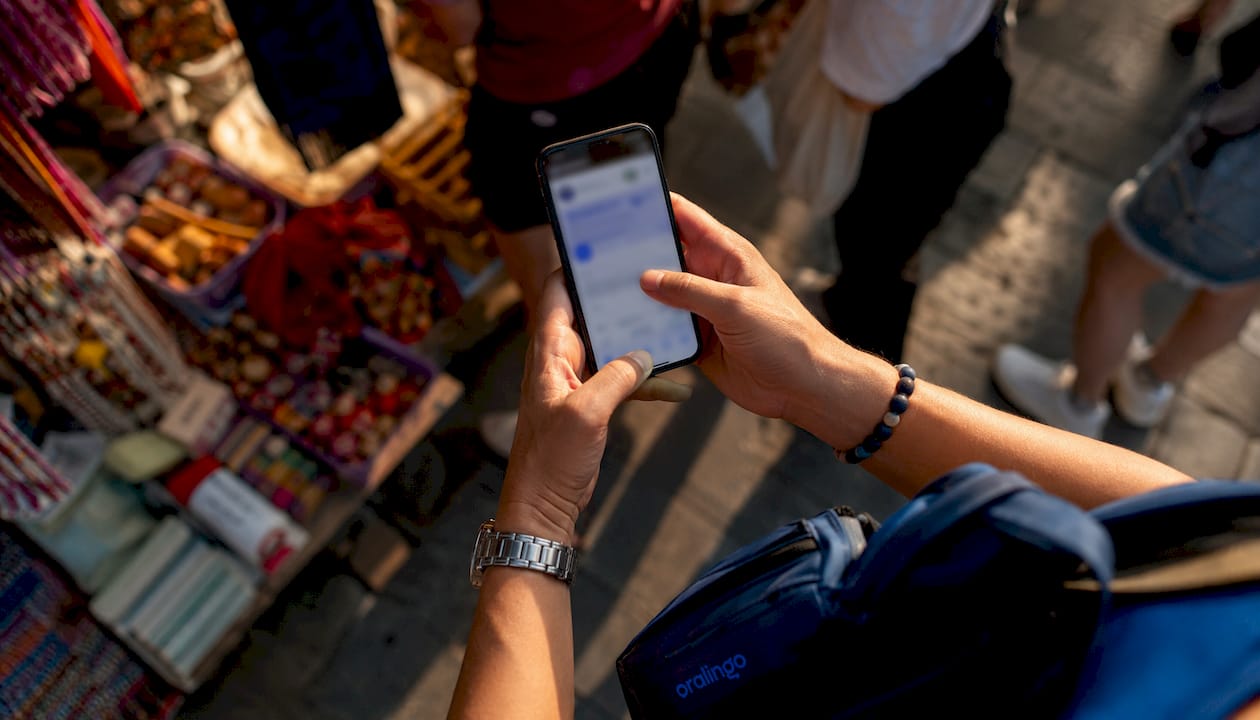
Point your phone's camera at a sign, a form, or a food label and the app overlays a translation in real time. This is genuinely useful for elementary-age kids who bring home paper notices, for reading menus, or for navigating a hospital waiting room. Built-in phone features like iPhone Translate's camera mode handle this well and integrate with your existing device.
Voice and speech-to-speech apps
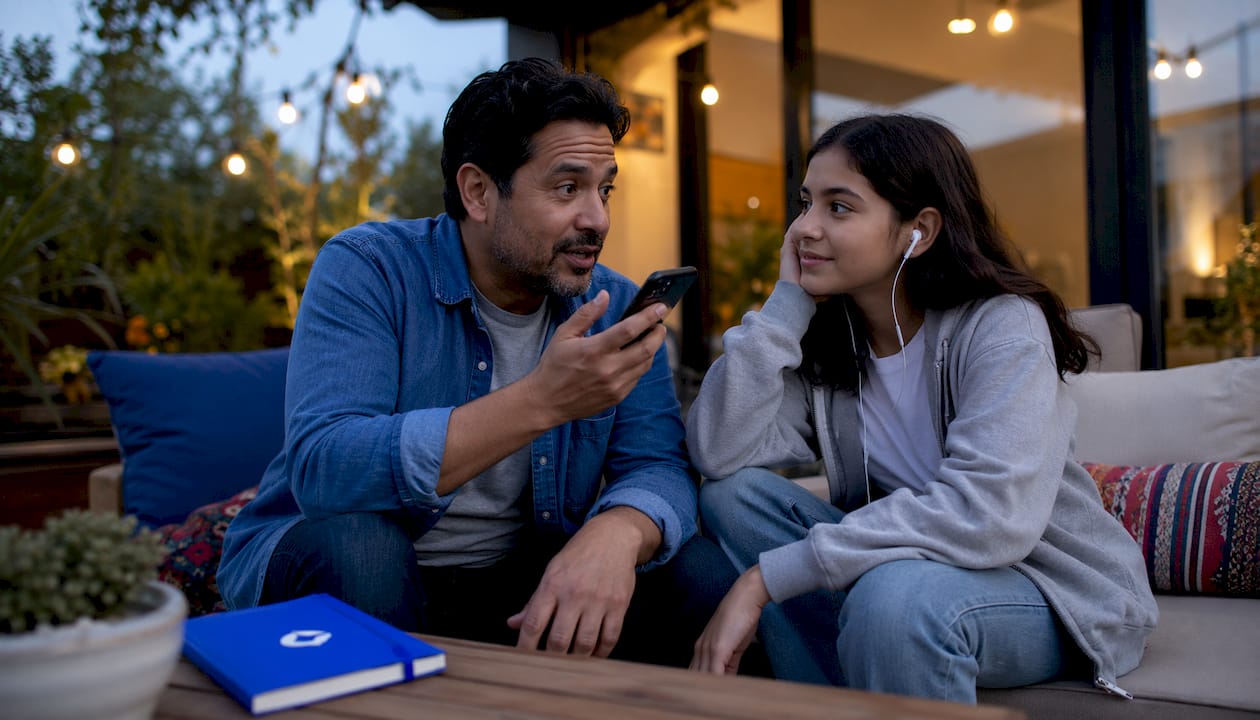
Speak into your phone, and the app translates your words and plays them back in the target language. This works well for quick back-and-forth conversations: talking to a neighbor, asking a store clerk a question, or a short check-in with a relative. The limitation is latency. A half-second delay in a fast conversation can feel awkward, and emotional nuance often gets flattened.
Wearable earbuds with live translation
Some earbuds now offer real-time translation fed through a paired app. You hear the translated speech directly in your ear while the other person speaks. Teens tend to adopt these quickly. For younger children, the setup is more complex than it's worth, and the accuracy still depends on the app doing the heavy lifting.
Handheld translation devices
Dedicated hardware devices (a small device you carry specifically for translation) work offline, handle more language pairs than most apps, and don't require a phone plan. They're popular with families who travel internationally or live in areas with spotty connectivity. The downside: they're a separate device to carry, and they cost more upfront than a free app.
Offline translators
This category covers downloaded language packs inside apps, as well as standalone offline software. The key benefit is that they work without Wi-Fi or cellular data, which matters in emergencies, rural areas, or when traveling. Downloading offline language packs before you need them is one of the simplest safety steps a family can take.
Human and certified translation services
A professional human translator or interpreter brings accuracy, cultural context, and legal standing that no app can match. For notarized documents, immigration paperwork, IEP meetings, and medical consent, these are the only appropriate choices. Costs vary widely: per-word rates for document translation, per-minute rates for live interpretation, and flat fees for certified translations. Many federally funded institutions are required to provide these services at no cost to you.
Here is a quick comparison of the seven categories across the dimensions that matter most to families:
| Tool type | Accuracy | Speed | Device needed | Cost shape | Best family use |
|---|---|---|---|---|---|
| Machine-translation apps | Good for common pairs | Instant | Smartphone | Free to low subscription | Everyday chat, quick questions |
| Camera/visual translators | Good for printed text | Near-instant | Smartphone | Free (built-in) | School notices, menus, labels |
| Voice/speech-to-speech | Moderate | Fast | Smartphone | Free to subscription | Short live conversations |
| Wearable earbuds | Moderate | Real-time | Earbuds + phone | Mid to high upfront | Teen use, travel conversations |
| Handheld devices | Good offline | Fast | Dedicated device | Mid upfront | Travel, low-connectivity areas |
| Offline translators | Good for downloaded pairs | Instant | Smartphone or device | Free to one-time fee | Emergencies, no-internet situations |
| Human/certified services | Highest | Slower | Phone/in-person | Per-word, per-minute, or flat | Legal, medical, IEP, notarized docs |
When should you use a machine translator vs. a human interpreter?
The short answer: use machine tools for everyday, low-risk tasks. Use human interpreters or certified translators for anything that affects your child's health, education, or legal standing.
Here is how that plays out in real life:
- School note about a field trip: A machine-translation app is fine.
- IEP meeting about your child's learning plan: Request a certified human interpreter. This is a legal document and a binding decision.
- Ordering dinner: Any voice or camera app works.
- Signing a medical consent form: A human interpreter, or at minimum a bilingual staff member who can confirm the translation.
- Group chat with relatives: A real-time chat translation app handles this well.
- Immigration paperwork: Certified human translation only.
"Real-time video- or voice-based interpretation tools can enable fully informed consent conversations when bilingual staff or interpreters aren't immediately available — but they do not replace a caring human presence." — VideoTranslatorAI
The risk of relying on a single AI output for high-stakes matters is real. Testing across 22 AI translation models found that a consensus approach — running the same text through two different tools and comparing outputs — significantly reduced the chance of accepting an error. If two tools disagree on something important, treat that as a signal to get a human involved.
Pro Tip: For any document that affects your child's school placement, medical care, or legal status, run it through two different translation tools. If the outputs differ in meaning, stop and request a professional.
Understanding how voice translation compares to professional interpretation can also help you set the right expectations before a high-stakes conversation.
How to choose the right tool for your family
Work through these questions before you download anything:
- What is the risk level of this task? Low risk (casual chat, reading a menu) = machine tool is fine. High risk (medical, legal, school placement) = human interpreter required.
- Who is using it? A toddler needs something screen-free or ultra-simple. A teen can handle earbuds or a chat app. An elderly grandparent may need large text and a simple interface.
- What devices do you have? Most families already have smartphones. If you need offline access, check whether your app supports downloadable language packs.
- Do you need it to work without internet? Download offline packs in advance. Don't wait until you're in an emergency.
- How sensitive is the information? Avoid sending Social Security numbers, medical histories, or child-protection details through free machine-translation tools. Use encrypted services or a human professional.
- How good is the tool on your specific language pair? Common pairs (Spanish-English, French-English) perform well on most apps. Less common pairs can be inconsistent. Test before you rely on it.
- What is your budget? Free apps cover most everyday needs. Certified translation services cost more but are often provided free in federally funded settings.
Here is a simple decision matrix for three common family tasks:
| Family task | Recommended tool type | Minimum verification step |
|---|---|---|
| Reading a school newsletter | Camera or machine-translation app | Skim for tone; flag anything that seems off |
| Parent-teacher conference | Human interpreter (request from school) | Confirm interpreter is certified for education settings |
| Family group chat | Real-time chat translation app | Test a few messages first; check tone with a bilingual contact |
For group chats specifically, translating family group chat messages is easier than most families expect once you have the right app set up.
Practical recommendations by age and common family scenarios
Age matters a lot when choosing a translation tool. What works for a teenager is frustrating for a six-year-old and useless for a toddler.
Experts recommend matching tool complexity to developmental stage. For toddlers, screen-free picture dictionaries and simple audio tools are the right fit. Elementary-age children do well with camera translation features on a parent's phone or a durable handheld device. Teens are comfortable with earbuds, integrated chat platforms, and multi-device apps.
| Age group | Best tool types | Key scenario |
|---|---|---|
| Toddlers | Screen-free audio tools, picture dictionaries | Naming objects, simple words |
| Elementary | Camera translators, parent-managed apps | School forms, reading labels |
| Teens | Earbuds, chat translation apps | Group chats, travel, peer communication |
| Adults/caregivers | Full-featured apps, human services | Medical, legal, school meetings |
Scenario checklist for common family tasks:
- School forms and newsletters: camera translator or machine-translation app, bilingual review for anything requiring a signature
- Parent-teacher meetings: request a human interpreter from the school district
- Emergency calls: pre-downloaded offline app as a backup; call 911 and ask for an interpreter (most dispatch centers have access to phone interpretation)
- Family group chats: real-time chat translation app with end-to-end encryption
- Travel: offline language packs downloaded before departure, plus a handheld device for areas with no connectivity
One important note on school communications: AI can produce fluent output but still miss tone and cultural nuance. A message that reads as warm and inviting in English can come across as cold or confusing after a literal machine translation. When the goal is trust-building with a teacher or school, cultural adaptation matters as much as word accuracy.
For children who use augmentative or alternative communication, a practical AAC guide for parents can help you think through how translation tools and communication aids work together.
Pro Tip: Never ask your child to interpret for you in a high-stakes situation. It puts unfair emotional pressure on them and increases the risk of errors. Schools and hospitals are required to provide professional interpreters — use that right.
Privacy, accuracy limits, and what families must know before sharing sensitive information
Free machine-translation tools are convenient, but they come with real trade-offs when the information is sensitive.
Common accuracy limitations:
- Idioms and regional expressions often translate poorly or literally
- Tone and register (formal vs. informal) can shift without warning
- Less common language pairs have higher error rates than Spanish-English or French-English
- Cultural context is frequently lost, which matters for school and health communications
What not to send through free machine-translation tools:
- Social Security numbers or government ID numbers
- Medical histories or diagnoses
- Child-protection case details
- Financial account information
- Any document you plan to sign or submit officially
For sensitive family documents, use a certified human translator or an encrypted service. Federal rules require interpretation services in federally funded institutions, which also means those conversations happen through professionals who are bound by confidentiality standards, not through a free app that may store your data.
Pro Tip: Check the privacy policy of any translation app before you use it for family communications. Look for end-to-end encryption and a clear statement about whether your conversations are stored or used for training data.
The American Translators Association has tested and reviewed popular translation apps from a professional standpoint, and their findings are worth reading before you rely on any single tool for important family matters.
Everyday tips for using translation tools with your kids and relatives
Getting the most out of any translation tool comes down to setup, testing, and a few simple habits.
Five steps to set up and test a new tool:
- Download offline language packs first. Don't wait until you need the tool urgently. Go into settings, find your language pair, and download it while you have Wi-Fi.
- Test with short, neutral sentences. Try a few simple phrases you already know in both languages. If the translation looks wrong, try a different tool before you rely on it.
- Check idioms and tone. Run a phrase that includes a common expression in your language. See if the output sounds natural or robotic. Robotic output is a warning sign for nuanced communication.
- Confirm with a bilingual contact. If you have a friend or family member who speaks both languages, ask them to spot-check a few outputs. This takes two minutes and can catch errors that matter.
- Keep a fallback. Have at least one offline option and one human contact (a bilingual neighbor, a community organization, or a school language-access coordinator) saved for emergencies.
Tips for including children safely:
- Use age-appropriate tools: camera translators for elementary-age kids, chat apps for teens
- Never put a child in the position of interpreting for a parent in a medical, legal, or school setting
- Treat translation tools as a learning opportunity, not a crutch: encourage kids to engage with both languages
Integrating translation tools with family platforms:
- For group chats, look for apps that translate messages before they display, so the conversation flows naturally without anyone waiting
- For shared family calendars, use apps that support multiple language interfaces
- For voice messages, real-time translation apps let relatives respond in their own language without either side switching
How translation apps work in real conversations is worth reading if you want a deeper look at how these tools handle live back-and-forth exchanges.
Key Takeaways
For multilingual families in the United States, the right translation tool depends on the task's risk level: machine apps for everyday use, human interpreters for anything medical, legal, or school-related.
| Point | Details |
|---|---|
| Seven tool categories | Families use machine apps, camera translators, voice apps, earbuds, handheld devices, offline tools, and human services. |
| Human interpreters for high stakes | Federal law requires federally funded institutions to provide professional interpretation for medical, legal, and IEP situations. |
| Consensus testing reduces errors | Running the same text through two translation tools and comparing outputs lowers the risk of accepting a wrong translation. |
| Age-matched tools work best | Toddlers need screen-free options; elementary kids do well with camera tools; teens adapt easily to earbuds and chat apps. |
| Oralingo for real-time family chat | Oralingo translates messages instantly across 100+ languages with end-to-end encryption, making it a strong fit for everyday family conversations. |
Why clear communication is the real goal
Most articles about translation tools focus on features and accuracy scores. What they miss is the emotional weight behind the need. When a parent can't fully understand what a teacher is saying about their child, or when a grandparent can't follow a family conversation, the gap isn't just linguistic. It affects trust, belonging, and outcomes.
Technology has genuinely changed what's possible here. Real-time translation connects across generations in ways that weren't practical even five years ago. But the tools only work when families use them intentionally. That means knowing which category fits which situation, testing before you rely on something, and never letting an app substitute for a human professional when the stakes are real.
The families who get the most out of these tools are the ones who treat them as a starting point, not a final answer. A machine translation can open a door. A human interpreter can make sure you walk through it safely.
Oralingo makes everyday family conversations easy
When it comes to daily family communication across languages, Oralingo is built for exactly that. It translates messages instantly before they appear in the chat, so conversations feel natural and uninterrupted. No copying and pasting, no switching apps. You just talk, and the other person reads in their language.

Oralingo's hands-free voice mode means you can have a real back-and-forth conversation without typing a word, which is especially useful when you're cooking, driving, or keeping an eye on the kids. Every conversation is end-to-end encrypted, so you don't have to worry about sensitive family information being stored or shared. With support for over 100 languages, it covers the language pairs most U.S. families need every day.
Download Oralingo and start your first conversation today.
Useful sources for families who want to go deeper
These are the most authoritative resources for families navigating language access in the United States:
- American SPCC — AI translation testing for parents: We tested AI translation on 22 models — a practical, parent-focused review of AI translation accuracy and safety.
- ASCD — Transcreation for school communications: From translation to transcreation — expert guidance on why cultural adaptation matters for school-family communication.
- Chalkbeat Philadelphia — School translation gaps: Latino families and school translation — reporting on real gaps in district-level language support.
- USCIS Multilingual Resource Center: uscis.gov multilingual resources — official U.S. government multilingual tools and guidance for immigrant families.
- American Translators Association — App reviews: Best translation apps reviewed by a professional translator — an honest professional assessment of popular apps.
- Consumer Financial Protection Bureau — Language access: CFPB language access guidance — practical information on language rights in financial settings.
"Technology should be framed as a bridge that turns moments of panic into manageable tasks, restoring agency for immigrant parents — but it must be used intentionally and critically." — Apple Magazine
This article is general information, not legal or medical advice. For your specific situation, confirm current interpretation rights and requirements with the relevant institution or a qualified professional.